What is inventory management software for a small business?
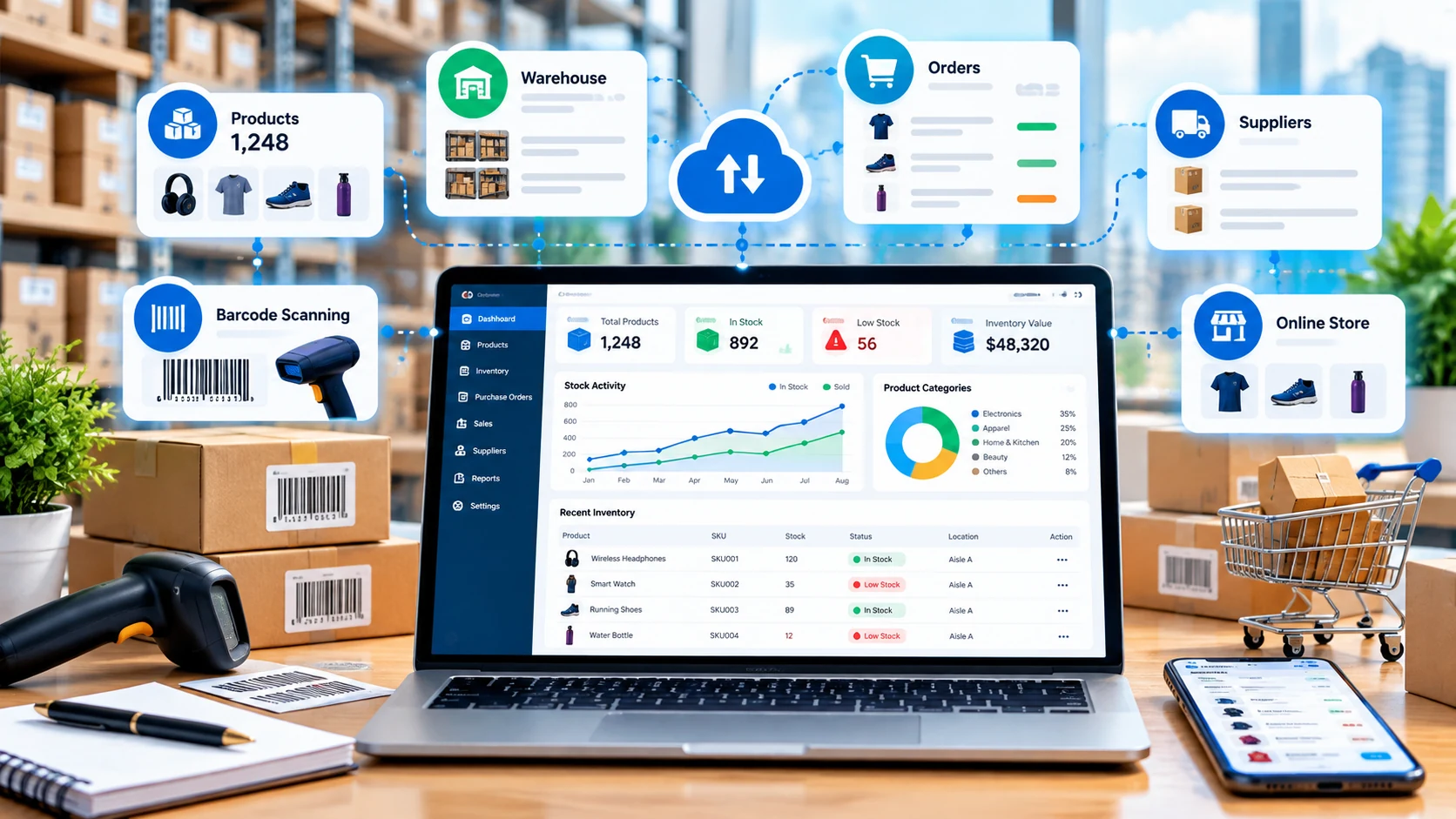
Inventory management software is a digital system for keeping track of products, stock quantities, purchases, sales, locations and inventory changes. Instead of relying on separate spreadsheets, paper counts and disconnected sales records, a business can use one system to maintain a current view of what is available and what needs attention.
For a small business, the goal is not simply to have more data. The useful outcome is a repeatable process: receive stock, record it, sell it, update quantities, identify low-stock products, reorder when necessary and review inventory performance.
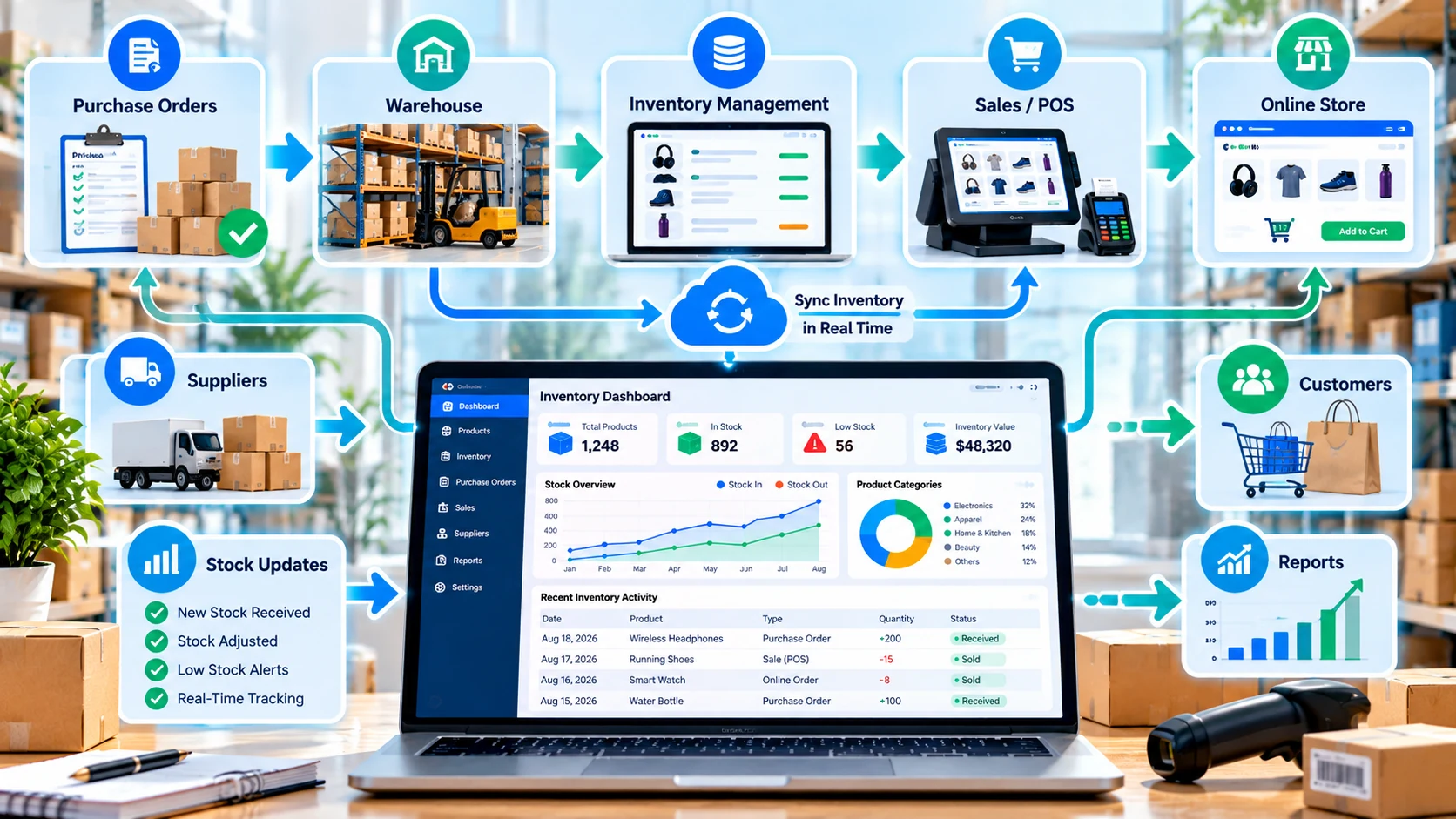
Inventory tools vary widely. A small online seller may need product and order synchronization, while a retailer may need POS and barcode support. A distributor or manufacturer may need multiple locations, purchasing, batch or serial tracking and more advanced planning.
Why small businesses move beyond spreadsheets
- Fewer manual updates: sales, purchases and adjustments can update stock records without repeatedly editing several files.
- Better stock visibility: staff can see quantities, locations and inventory status from a shared system.
- Low-stock awareness: reorder points and alerts can surface products that need attention.
- Cleaner purchasing: purchase orders can connect what needs to be replenished with supplier activity.
- Better sales coordination: POS and ecommerce integrations can reduce the gap between what is sold and what is actually available.
- More useful reporting: owners can review stock movement, product performance and inventory value without rebuilding reports manually.
A spreadsheet can still work for a very small catalog or a temporary stock list. The case for dedicated inventory software becomes stronger as SKU count, order volume, sales channels, locations or team members increase.
Essential inventory management features
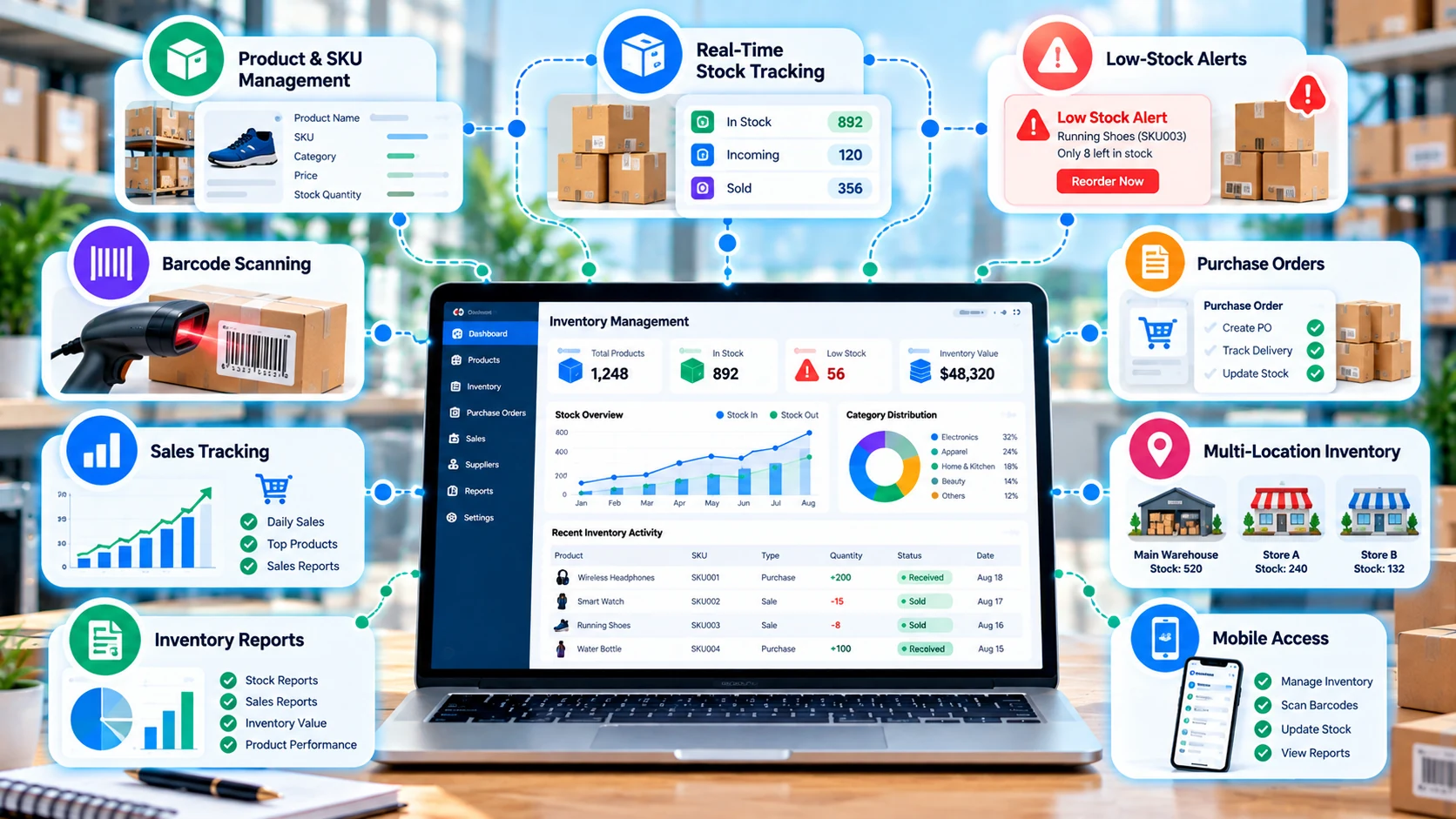
1. Product and SKU management
Every product should have a clear record with fields such as name, SKU, category, price, cost, supplier and current quantity. If the business sells variations such as size or color, check whether the software handles variants cleanly rather than forcing workarounds.
2. Real-time stock tracking
Real-time does not necessarily mean every system updates instantly across every channel. Check the provider's actual synchronization behavior, refresh rules and integration limits. The important question is whether stock changes reach the places where customers and staff need accurate availability information.
3. Low-stock alerts and reorder levels
A reorder point can trigger an alert before a product reaches zero. More advanced systems can connect alerts to purchase orders or demand planning. Make sure thresholds can be set at the product or location level when your business needs that flexibility.
4. Barcode and scanning support
Barcodes can reduce manual product lookup and data-entry errors. Depending on the software, you may be able to scan using a phone, dedicated scanner or integrated hardware. Check whether the platform supports the barcode formats and labels you already use.
5. Purchase orders and supplier management
Inventory software becomes more useful when purchasing is part of the same workflow. Look for purchase-order creation, supplier records, expected receipts and automatic or manual stock updates when goods arrive.
6. Sales and order tracking
Sales should reduce available stock without requiring a second manual update. If you sell through multiple channels, confirm whether orders, cancellations, returns and inventory adjustments are synchronized consistently.
7. Multi-location inventory
Businesses with stores, warehouses or job sites may need location-level stock balances and transfer workflows. A plan that supports one location can look inexpensive until a second location becomes necessary.
8. Reporting and analytics
Useful reports include stock on hand, inventory value, low-stock items, sales by product, purchase activity, stock movement and product performance. Advanced businesses may also need forecasting, COGS reporting, batch/serial analysis or warehouse metrics.
Free inventory management software vs paid plans
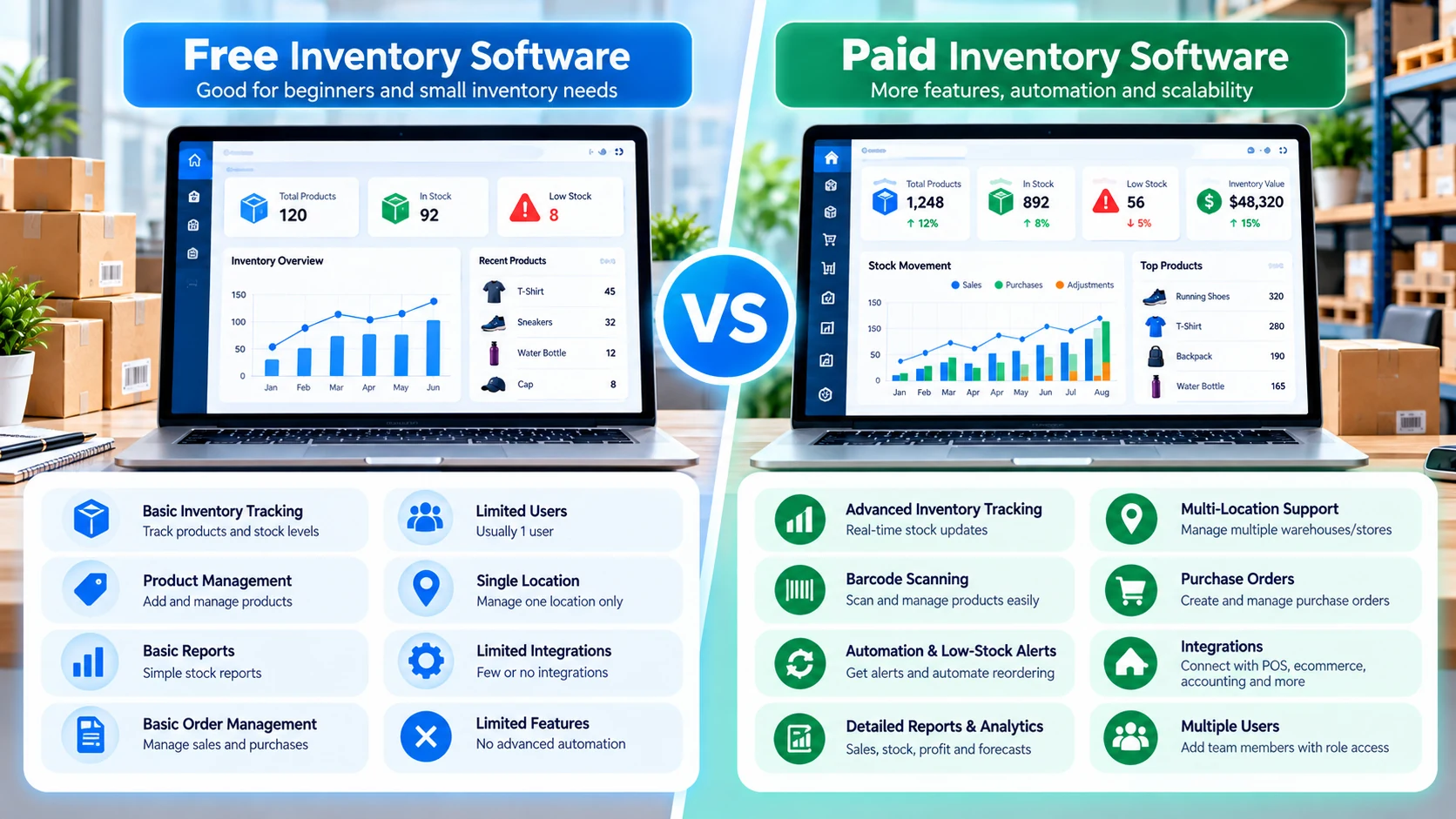
| Area | Free / entry-level | Paid / advanced |
|---|---|---|
| Products & SKUs | Often limited | Higher or larger limits |
| Users | Often one user or a small team | More users and role controls |
| Locations | Often one location | Multiple stores or warehouses |
| Automation | Basic alerts or manual workflows | More advanced rules and replenishment |
| Integrations | Fewer connections | POS, ecommerce, accounting and API options |
| Reporting | Basic stock reports | Advanced analytics and forecasting |
Free does not automatically mean inadequate. For a small catalog, a free plan can be a sensible way to validate a workflow. The important check is whether the free limits match your actual products, users, locations and order volume.
Stock tracking, low-stock alerts and automated reordering
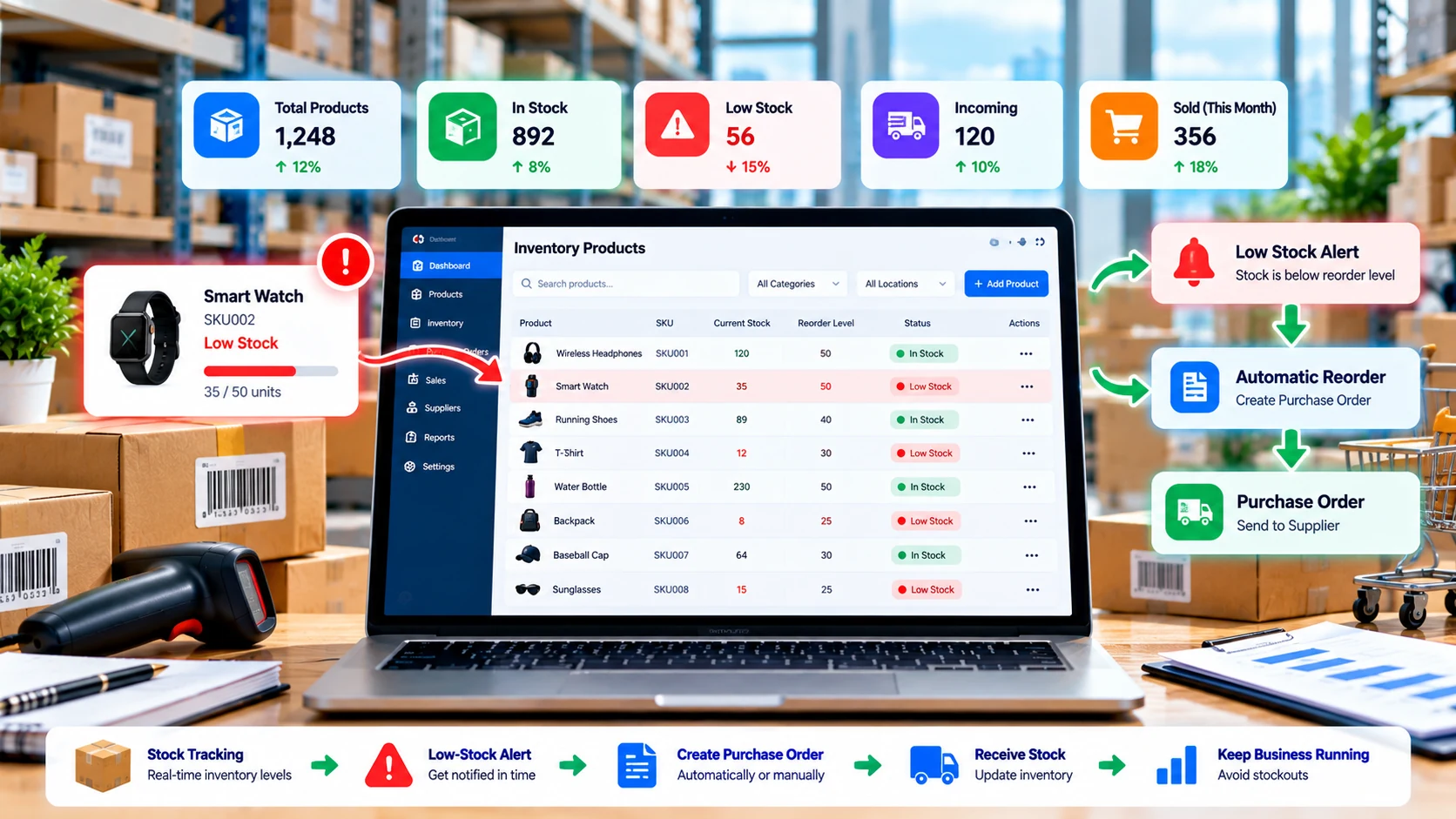
A practical inventory workflow starts with a reliable stock count. Once the system knows the current quantity, you can set reorder levels based on sales velocity, supplier lead time, minimum stock requirements or business rules.
Some systems only notify you when stock falls below a threshold. Others can help create purchase orders or use forecasting models. Automation should still be reviewed: a sudden promotion, seasonal demand change or supplier delay can make a historical reorder rule inaccurate.
Barcode, SKU and product management
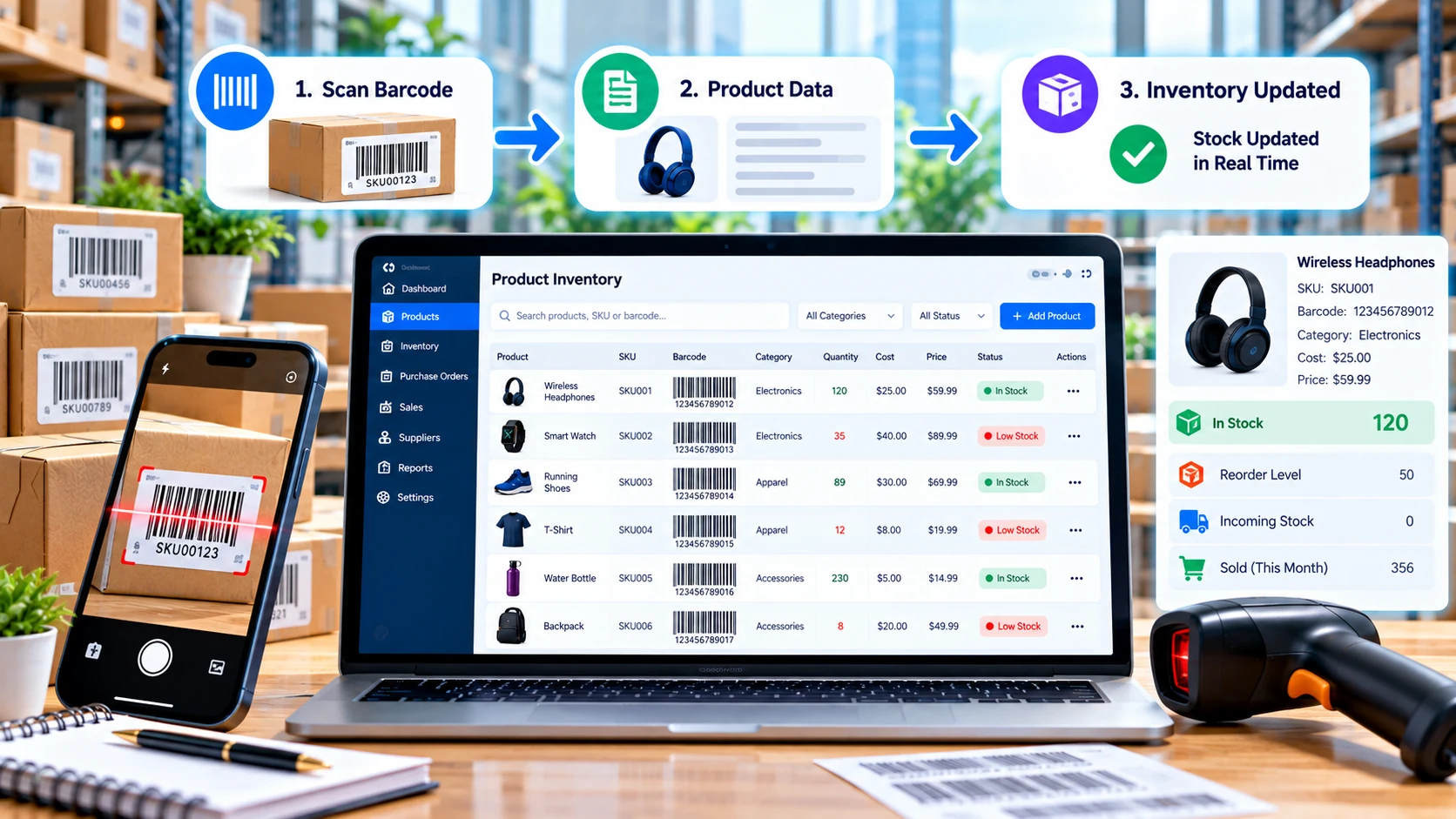
Barcode workflows are particularly useful when staff handle many similar products. A scan can locate a product, receive stock, adjust quantities, prepare an order or update a sale depending on the software.
Before buying hardware, check the software requirements. Some platforms can use a smartphone camera, while others support dedicated scanners, label printers or specialized warehouse hardware. Also check how duplicate SKUs, product variants and bundled products are handled.
POS and ecommerce integration
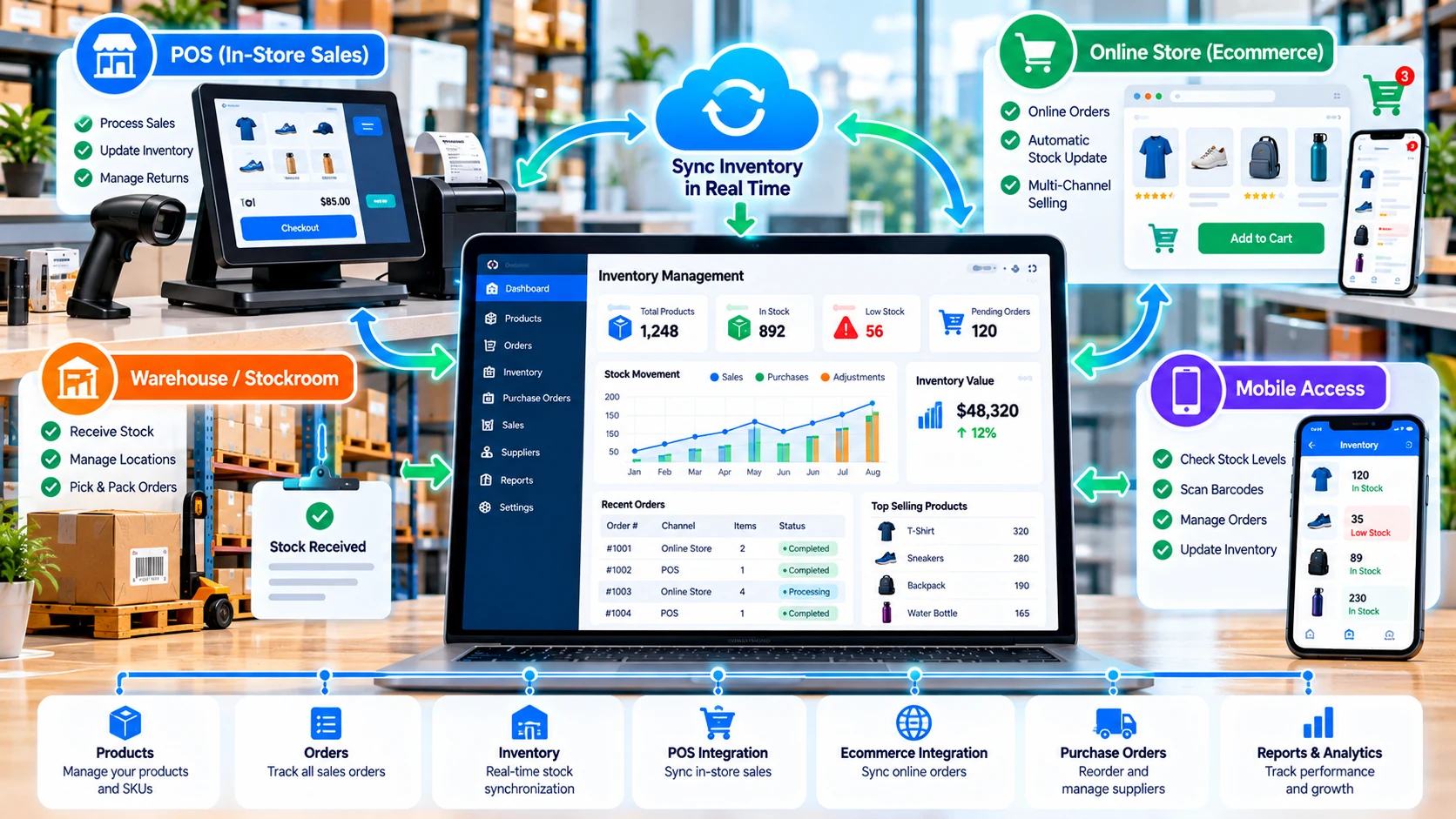
If you sell both online and offline, inventory synchronization becomes a central requirement. A customer buying the last item in a store should not leave an online listing showing that same item as available when the systems are connected.
Ask five practical questions before choosing an integration: What data syncs? How often does it sync? What happens when a sync fails? Are returns and cancellations included? Does the integration require a higher plan or separate app fee?
For businesses already using an ecommerce platform, native inventory features may be enough at first. For more complex catalogs or multiple sales channels, a dedicated inventory layer may be useful.
Inventory management software to compare
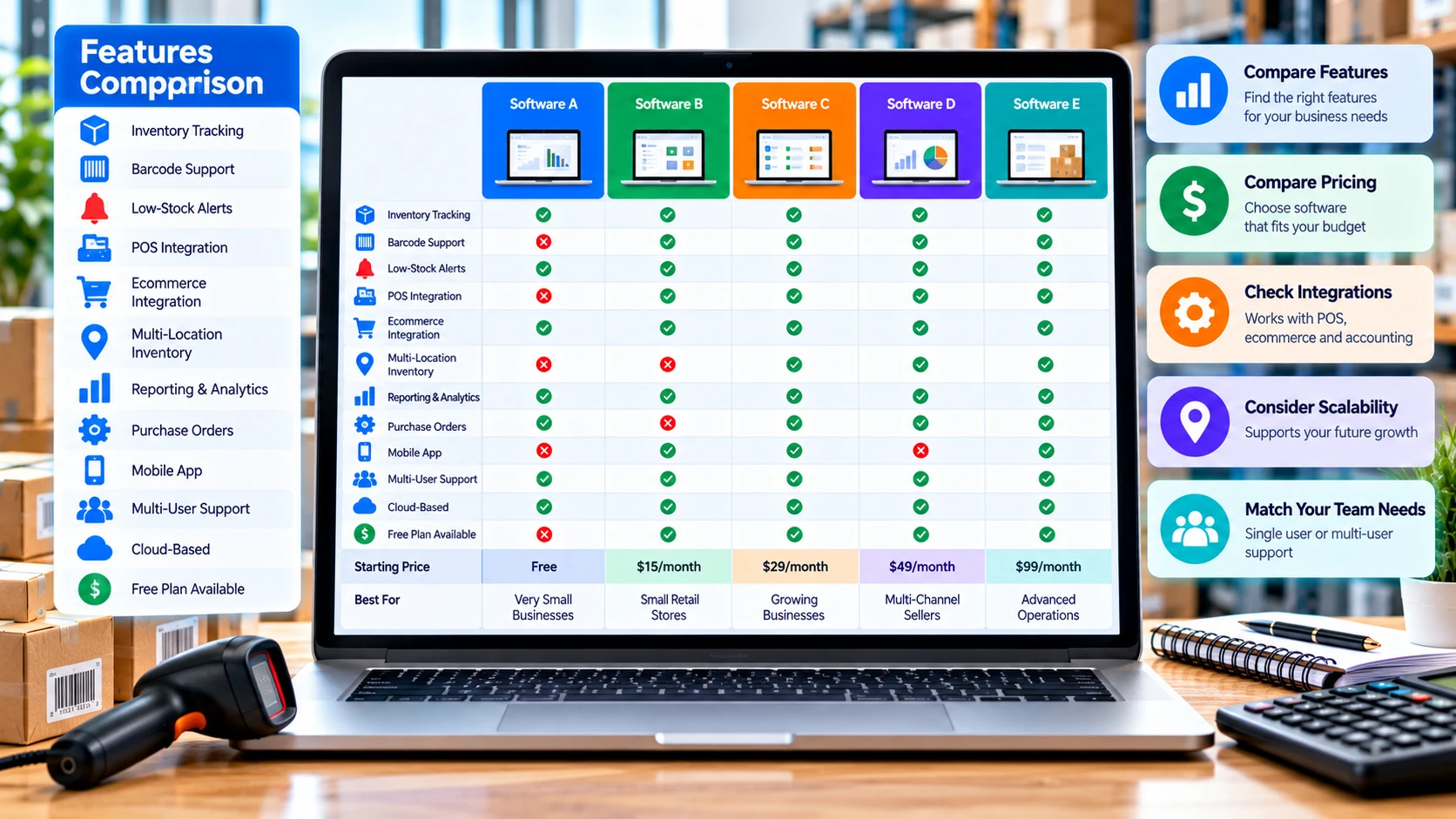
| Software | Useful starting point | Current pricing context |
|---|---|---|
| Zoho Inventory | Inventory-focused workflows, purchasing, orders, locations, barcode and integrations. | Free plan; Standard $29/month billed annually; higher tiers shown by provider. |
| Square | Retail/POS businesses that want inventory connected to in-person sales. | Basic inventory features with Square Free; Square Plus $49/month/location; Premium $149/month/location. |
| Sortly | Visual inventory tracking, item organization, QR/barcode labeling and team access. | Free tier; paid plans vary by item/user limits and billing cycle. |
| inFlow Inventory | More structured inventory, purchasing, sales and multi-location operations. | Current annual-billing plans shown from $99/month for Lite, with higher tiers for larger teams and locations. |
| Cin7 Core | Growing businesses with more complex inventory, warehouse and channel requirements. | Standard starts at $349/month; Pro $599/month; Advanced $1,199/month, before taxes. |
These are not universal rankings. The right shortlist depends on your workflow. Zoho Inventory publishes a free plan with 50 orders/month, one user and one location, while its paid plans increase order, user and location limits. Square's official inventory page lists basic item management with Square Free, plus $49/month/location for Plus and $149/month/location for Premium. Sortly currently lists a free plan and paid tiers with different unique-item and user limits; its displayed annual promotion can differ from the regular monthly price. inFlow's current 2026 pricing page shows annual-billing plans starting at $99/month for Lite and scaling to Core, Pro and Max tiers with larger team and location limits. Cin7 currently lists Core Standard at $349/month, Pro at $599/month and Advanced at $1,199/month, with taxes excluded.
How much does inventory management software cost?
Inventory software pricing can be difficult to compare because providers use different limits. One company may charge by organization, another by user, another by location, and another by order volume. Hardware, payment processing, marketplace connections, advanced forecasting and API access can also add cost.
- Free: useful for basic catalogs and testing, but usually with limits.
- Entry-level paid: often adds more users, orders, integrations or automation.
- Growing-business plans: typically increase locations, order capacity, reporting and workflow controls.
- Advanced platforms: may add warehouse management, forecasting, manufacturing, API tools and complex integrations.
For example, Zoho Inventory's current US pricing page lists $0, $29, $79, $129 and $249 monthly organization tiers when billed annually, with increasing order, user and location limits. Square publishes location-based inventory pricing for its Plus and Premium tiers.
For a global business, treat these figures as provider-published reference prices rather than a universal quote. Taxes, currency, region, billing cycle and promotions can change the final amount.
How to choose inventory software for a small business
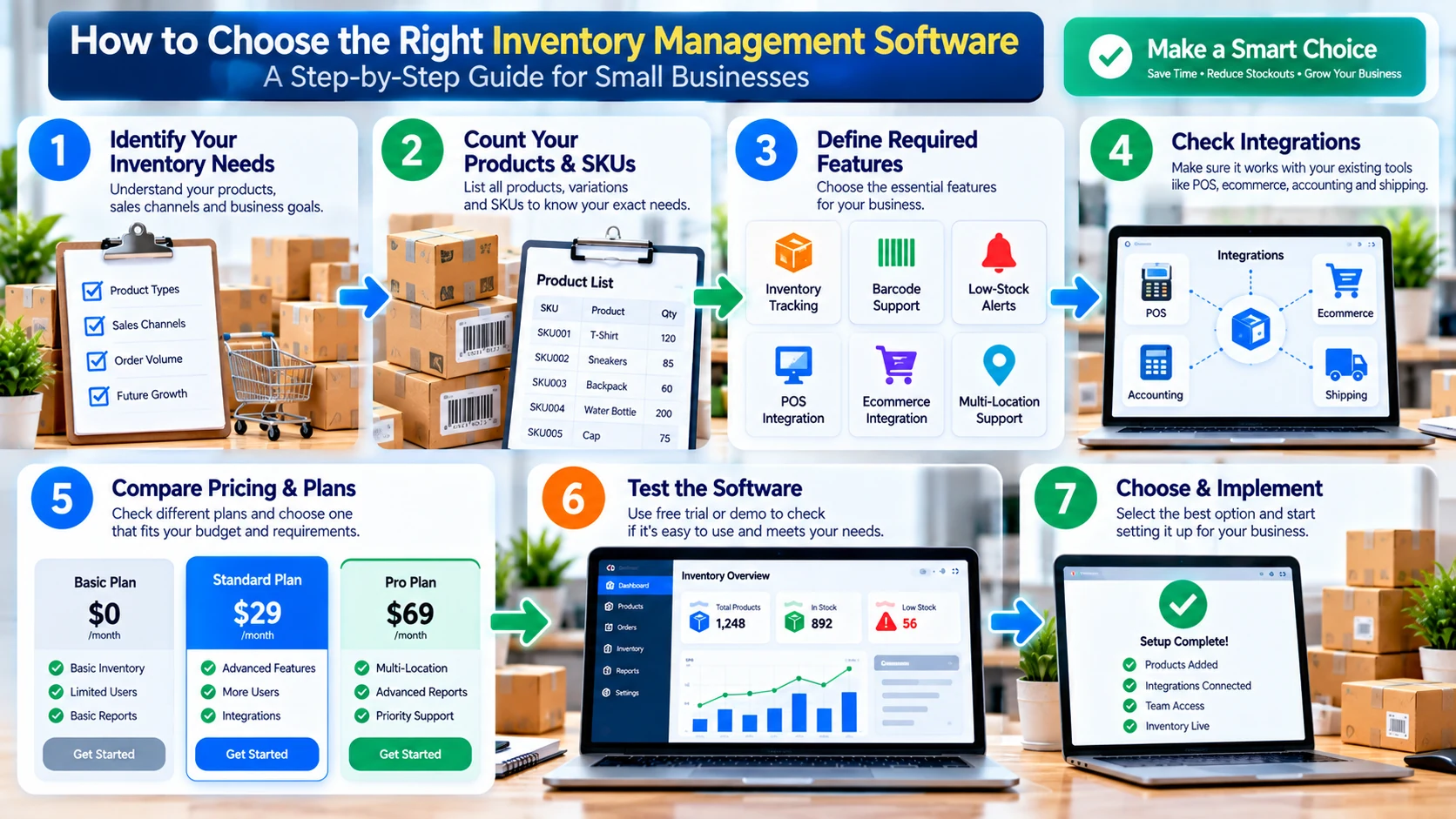
- List products and SKUs: include variants, bundles and units of measure.
- Count locations: include warehouses, stores, offices and job sites.
- Map sales channels: identify ecommerce, marketplaces, POS and wholesale channels.
- Define must-have features: prioritize tracking, barcode, alerts, purchasing, reporting and integrations.
- Calculate total cost: include users, locations, hardware, add-ons and transaction-related fees.
- Test real workflows: import sample products, receive stock, make a sale, process a return and create a purchase order.
- Check data controls: confirm exports, permissions, backups, security information and support.
Inventory and accounting integration
Inventory and accounting are closely connected because stock purchases, sales, cost of goods sold and inventory value affect financial reporting. A good integration can reduce duplicate entry, but the exact accounting treatment varies by system and business model.
Check whether your chosen platform can connect with the accounting system you already use, whether the connection is native or third-party, what data is synchronized and whether an additional subscription is required.
If accounting accuracy is important, test the integration before moving production data. Confirm how refunds, purchase orders, inventory adjustments, taxes, shipping costs and cost-of-goods calculations are handled.
Inventory software setup checklist
- Clean the existing product list before importing it.
- Standardize SKU naming and product variants.
- Confirm opening stock quantities.
- Set locations and bin structures if required.
- Set reorder levels for important products.
- Connect POS and ecommerce channels.
- Connect accounting software where needed.
- Configure users and permissions.
- Test barcode scanning and product labels.
- Run a small pilot before switching every workflow.
- Create an export and recovery procedure.
Common inventory management mistakes
Choosing software before mapping the workflow
Feature lists can look impressive, but the important question is whether the system matches how products actually enter, move through and leave your business.
Ignoring plan limits
A low monthly price can become expensive when you need another location, additional users, more orders or an integration add-on.
Skipping data cleanup
Duplicate SKUs, inconsistent product names and incorrect opening quantities can create problems in any inventory platform.
Automating without review
Automatic reorder rules should be checked against seasonal demand, promotions, supplier lead times and unusual sales activity.
Not testing returns and adjustments
Normal sales are only one part of inventory. Test returns, damaged products, stock corrections and canceled orders before full rollout.
How inventory software can support business growth
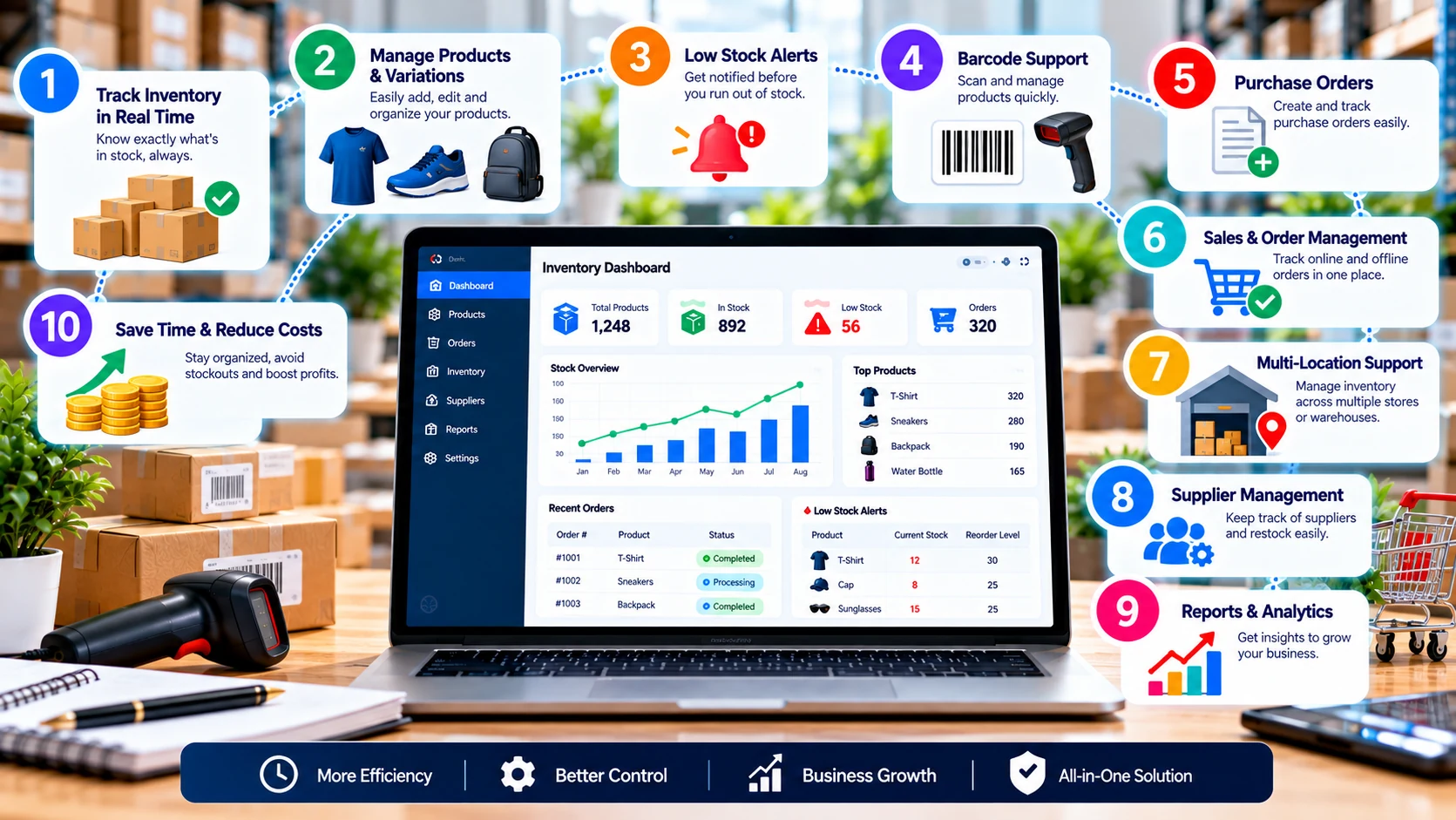
The value of inventory software is usually operational. Better stock visibility can make purchasing more deliberate, reduce manual reconciliation and give teams a shared source of product information. When sales channels multiply, synchronization can also reduce the work involved in keeping availability accurate.
Software does not remove the need for good inventory practices. Product data, stock counts, supplier information and reorder assumptions still need regular review. The system works best when the underlying process is disciplined.
Frequently asked questions
What is inventory management software for a small business?
It is software for tracking products, quantities, purchases, sales and locations. Depending on the platform, it may also include barcode scanning, low-stock alerts, purchase orders, reports, POS, ecommerce and accounting integrations.
What is the best inventory management software for a small business?
There is no universal best option. Compare your SKU count, locations, order volume, sales channels, integrations, users, automation needs and total cost against each provider's current limits.
Is there free inventory management software for small business?
Yes. Some providers offer free plans or free inventory features. The main question is whether the free limits cover your products, orders, users and locations.
Can inventory software connect to POS and ecommerce?
Many platforms can connect with POS, ecommerce stores and marketplaces. Check the exact integration, synchronization frequency, supported data and plan requirements.
How much does inventory management software cost?
Costs range from free plans to hundreds of dollars per month. Pricing may depend on users, locations, order volume, features and add-ons, and regional taxes can affect the final price.
What should I test before choosing inventory software?
Test product import, SKU variants, stock receiving, sales, returns, purchase orders, low-stock alerts, barcode scanning, reporting and integrations using realistic sample data.
Can inventory software replace a spreadsheet?
It can for many operational workflows, especially when you need shared records, automated stock changes, alerts, integrations or multiple locations. A spreadsheet can still be useful for simple lists and temporary analysis.
Official pricing and product references
- Zoho Inventory pricing — current plans, order limits, users and locations.
- Square inventory management — inventory features and current Plus/Premium pricing.
- Sortly pricing — current free and paid inventory tiers.
- inFlow Inventory pricing — current 2026 plan structure and limits.
- Cin7 pricing — current Core plans and features.
- Shopify inventory management guide — current inventory software context and vendor examples.
Pricing and product limits were checked against provider-published pages during preparation on October 3, 2026. Always verify the provider page before purchasing because prices, promotions, taxes and included limits can change.