
Customer support is often one of the first business processes to become difficult as a small company grows. The questions may be simple—price, availability, delivery time, appointment slots, order status, return policy—but they arrive through different channels and at different times. A founder who is also the salesperson, operator and support agent can lose hours repeating the same answers.
AI customer support tools are designed to reduce that repetitive workload. The useful question is not whether a tool is “the smartest AI.” It is whether the system can safely answer the questions your customers actually ask, keep information current, route exceptions to a person and show you whether the workflow is helping.
This guide compares the main approaches and several current tools without creating a one-size-fits-all ranking. Features, pricing and message rules change frequently, so provider claims should be checked against the current official documentation before you purchase.
Why AI customer support matters for small businesses
Small businesses usually have fewer support agents, but that does not mean fewer customer questions. A local service business might receive appointment questions, a retailer may get product and delivery questions, and an online store may need to handle order-status and return requests.
AI can help by creating a first layer of support around your existing knowledge. Instead of asking an employee to answer every routine question, the system can use approved information to respond, collect missing details and route the conversation when a human needs to make a decision.
What can AI actually do for customer support?
The capabilities vary by product, but most AI customer-support systems are built around a combination of conversation, knowledge, workflow and routing features.
- FAQ answers: respond to common questions about products, services, opening hours, delivery, policies or appointments.
- Conversation understanding: interpret natural-language questions instead of forcing customers through rigid menus.
- Knowledge-base answers: retrieve information from approved business documents, help articles or product data.
- Reply assistance: draft or improve replies for human agents.
- Conversation summaries: condense a long customer interaction so an agent can understand the context quickly.
- Lead qualification: collect details such as product interest, budget, location or appointment preference before routing a lead.
- Ticket routing: classify requests and send them to the right team or queue.
- Follow-up workflows: trigger reminders, tasks or permitted business workflows after a customer interaction.
- Analytics: help teams identify response volume, unresolved topics, handoff rates and recurring customer problems.

AI chatbot vs. traditional rule-based chatbot
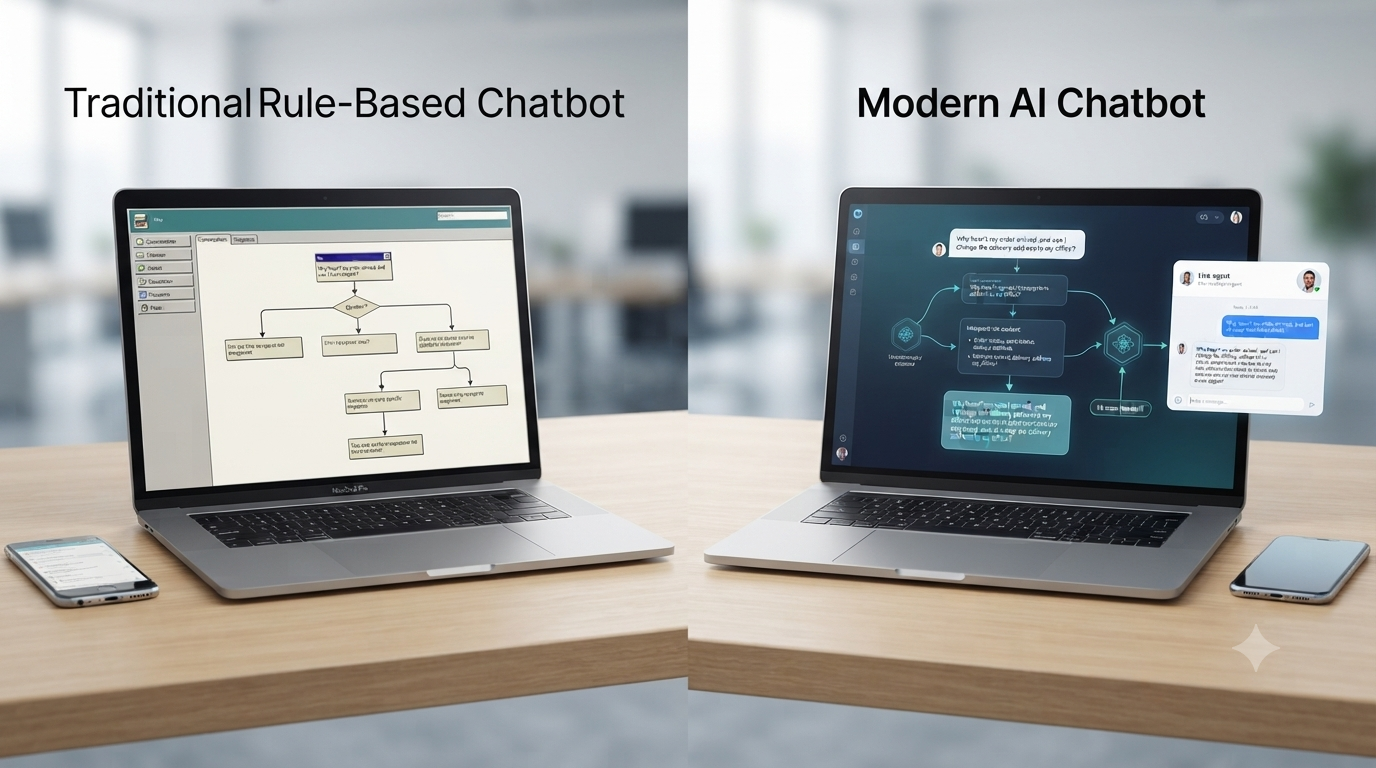
A traditional chatbot generally follows predefined rules: if the customer chooses option A, show response B. This can be useful for predictable processes, but it becomes awkward when customers phrase the same question in many different ways.
An AI chatbot is designed to interpret natural language and context. It can be more flexible, but that flexibility creates a new responsibility: the business must control the information and boundaries the AI uses.
| Area | Rule-based chatbot | AI chatbot |
|---|---|---|
| Conversation logic | Predefined branches | Natural-language interpretation |
| Best for | Fixed workflows and menus | FAQs, flexible questions and guided support |
| Setup | Flow design | Knowledge + instructions + workflows |
| Main risk | Customers get stuck in a flow | AI may produce an incorrect answer if poorly controlled |
| Human handoff | Rule-triggered | Can be triggered by intent, uncertainty or business rules |
WhatsApp and messaging support
For businesses that already receive customer questions through messaging, an AI layer can be more useful than forcing customers to learn a new support channel. The workflow might begin with an incoming message, answer a simple FAQ, collect a few details and then route the conversation to a human.
WhatsApp support can be especially useful for appointment-based businesses, retail, ecommerce, education, travel and local services. The exact features depend on whether you are using the WhatsApp Business app, the WhatsApp Business Platform or a third-party provider.

If WhatsApp is a major support channel for your business, see our related guide: AI Tools for WhatsApp Marketing for Small Businesses.
Why a shared team inbox matters
AI is only one part of customer support. Once more than one person handles conversations, a shared inbox can prevent duplicated replies and unanswered messages. The useful features to look for include assignment, conversation history, tags, team permissions, internal notes, routing rules and a clear way to mark a conversation as resolved.
For example, a customer could ask a product question that AI answers, then request a custom quote. The system can route that conversation to sales while keeping the earlier context visible to the agent.

When should AI hand off to a human?
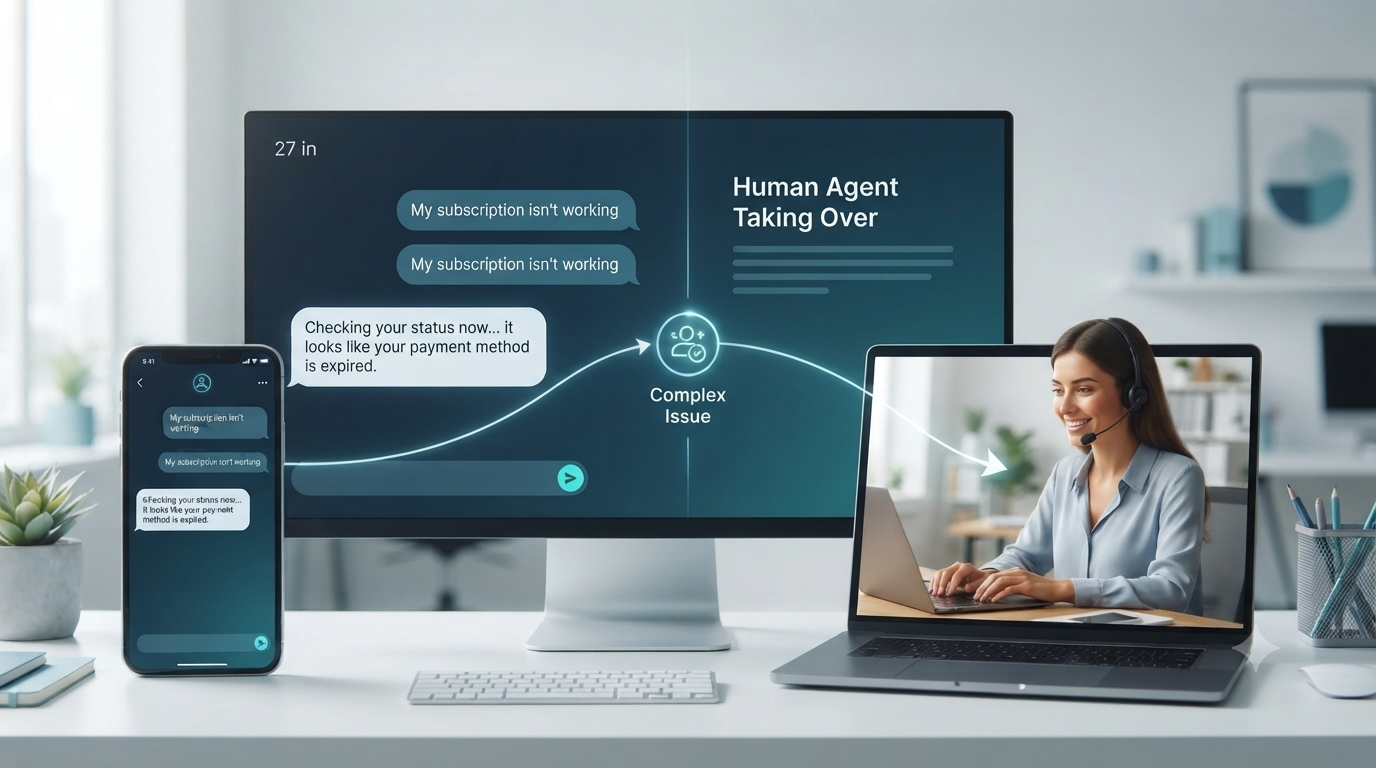
Human handoff should be a core part of the design, not an emergency feature added after launch. The AI should have explicit boundaries for what it can answer and what must be escalated.
- Refunds, billing disputes or payment problems
- Complaints and highly frustrated customers
- Requests involving sensitive personal information
- Legal, safety or compliance-sensitive questions
- Complex technical problems
- Custom pricing or exceptions that require approval
- Questions outside the AI's approved knowledge
- Any customer who explicitly asks for a human
AiSensy's current documentation, for example, describes chatbot-to-human transfer and live-agent intervention as part of its support workflow. Its AI-agent documentation also describes human handoff for complex or escalated conversations. Those are provider capabilities; the broader principle is to define your own escalation rules before automation goes live. AiSensy support workflow → AiSensy AI agents →
Explore AiSensy for WhatsApp customer support →
AI lead qualification and routing
Customer support and lead generation often overlap. A person who asks “Is this available?” may be a support visitor, a sales lead or both. AI can collect the information needed to classify the request before a human follows up.
A simple qualification flow might ask what the customer needs, which product or service they are interested in, their preferred timing and the best contact method. The system can then route the conversation to sales, support or another team.

AI customer support tools to compare
These tools serve different operating models. The comparison below is intentionally descriptive rather than a “best tools” ranking.
1. AiSensy
WhatsApp support + AIUseful when: WhatsApp is a major customer channel and you need shared live chat, team assignment, automation and AI features.
AiSensy's current support documentation describes multiple agents on one WhatsApp Business number, CRM/contact management, agent assignment rules, chat filtering and chatbot-to-human transfer. Its AI-agent product describes context-based replies and human handoff.
Current pricing example: AiSensy's official pricing page currently lists an AI Agent Builder at ₹1,350/month for 1,000 AI messages, sold separately from the core platform plans. The same page lists Basic at ₹1,500/month, Pro at ₹3,200/month and Premium at ₹9,100/month. Message charges and country-specific rates are separate considerations.
2. WATI
WhatsApp automationUseful when: you want a WhatsApp-centered support and automation stack with team users, workflows, campaigns and integrations.
WATI says its pricing has three main components: the subscription plan, WhatsApp messaging fees and optional add-ons. Its current plan documentation lists Growth, Pro and Business tiers, while its India-specific PAYG option is available separately for eligible Indian customers.
Cost lesson: do not compare WATI only by subscription price. Estimate the number and type of messages, users, chatbot usage and add-ons your workflow will consume.
3. Interakt
WhatsApp + commerceUseful when: your support workflow is closely connected to WhatsApp sales, customer management and commerce operations.
When evaluating Interakt, compare the current plan limits, users, automation, catalogue/commerce features, integrations and message costs against your own conversation volume. Avoid choosing a plan based only on the headline monthly fee.
4. Freshdesk / Freshdesk Omni
Helpdesk + omnichannelUseful when: support is broader than WhatsApp and you need ticketing, a knowledge base, shared workflows and multiple customer channels.
Freshdesk is positioned around helpdesk and ticketing, while Freshdesk Omni adds omnichannel customer service. Freshworks' current pricing pages list AI-agent capabilities, shared inbox/ticketing features and analytics depending on plan.
Current pricing example: Freshdesk currently lists Growth at $19/agent/month billed annually, Pro at $55 and Enterprise at $89. Freshdesk Omni currently lists Growth at $29/agent/month, Pro at $79 and Enterprise at $119 when billed annually. AI-agent sessions and other add-ons can add to the total.
5. Gallabox
AI agents + messagingUseful when: you want AI agents, shared inbox capabilities, lead qualification and automation across WhatsApp, Instagram and web chat.
Gallabox's current pricing page lists AI credits, user limits, channels, inbox automation and AI-agent features. It also separates platform fees from WhatsApp conversation charges and other usage.
Current pricing example: the page currently lists Basic at ₹2,999/month billed quarterly or ₹2,399/month billed annually, Essential at ₹6,999 quarterly or ₹5,599 annually, and Advanced at ₹16,999 quarterly or ₹13,599 annually. AI credits and WhatsApp usage are part of the total-cost calculation.
What you actually pay for
AI customer support pricing is rarely one number. Before choosing a platform, break the total cost into the pieces that match your workflow.
- Platform subscription: the base software fee.
- Agent or user seats: common when several employees need access.
- AI usage: sessions, messages or credits consumed by AI features.
- Messaging charges: especially relevant for WhatsApp Business Platform usage.
- Automation or integration add-ons: connectors, API usage, advanced workflows or extra channels.
- Onboarding: some vendors offer free onboarding while others charge for implementation or custom setup.

For example, Freshdesk publishes per-agent pricing and separate AI-agent session charges, while AiSensy and Gallabox publish AI-credit or AI-message allowances alongside their platform pricing. WATI explicitly describes subscription, messaging fees and optional add-ons as separate parts of its pricing structure. These models are not directly comparable without looking at expected usage.
Prices above are snapshots from provider pages reviewed on September 27, 2026. Prices, taxes, annual discounts, AI allowances and messaging rates can change. Use the official provider pricing page linked above before making a purchase.
Which setup fits your business?
| Business situation | Start with | What to automate first |
|---|---|---|
| One-person local service | Simple chat/FAQ AI | Hours, services, pricing ranges, appointment questions |
| Small retail business | Messaging + shared inbox | Product questions, availability, order updates |
| Salon / appointment business | Chat + booking workflow | Services, timings, booking requests, reminders |
| Coaching / education | Website or messaging AI | Course FAQs, schedules, eligibility, lead capture |
| Ecommerce / D2C | Helpdesk + messaging + integrations | Order status, returns, FAQs, escalation |
| Growing support team | Shared inbox + helpdesk | Routing, summaries, SLA workflows, reporting |
The simplest useful system is often better than a complex stack that nobody maintains. Start with the highest-volume repetitive questions, measure the result and expand only when the workflow is reliable.
How to set up AI customer support step by step
- List the top 20 questions. Review recent chats, emails, calls and support tickets. Write down the questions that repeat.
- Create an approved knowledge base. Include current product details, prices, policies, hours, delivery information and contact rules.
- Choose the first channel. Start where customers already ask the most questions: website chat, email or messaging.
- Define the AI's scope. Specify what it can answer and what it must not answer.
- Design the human handoff. Decide which words, intents, risk levels or customer requests should trigger a person.
- Connect the team inbox or helpdesk. Assign conversations and create internal ownership so requests do not disappear.
- Test difficult questions. Try ambiguous, outdated, emotional and unsupported questions before going live.
- Launch narrowly. Automate a small set of high-volume questions first.
- Measure outcomes. Track response time, unresolved conversations, handoff rate, qualified leads and customer outcomes.
- Improve the knowledge base. Every repeated failure is a signal that your documentation or workflow needs an update.

Common AI customer support mistakes
- Automating before documenting: if the business information is inconsistent, AI cannot reliably fix it.
- Giving AI unlimited authority: do not let an AI system invent discounts, approve refunds or make promises it cannot fulfill.
- No human escape route: customers should not be trapped in a bot loop.
- Ignoring stale information: prices, inventory, hours and policies need an owner and review process.
- Choosing by feature count: ten unused automations do not help if the core support workflow is unreliable.
- Ignoring total cost: subscription price alone can hide AI usage, agent seats, message fees and add-ons.
- Skipping measurement: response volume is not the same as customer satisfaction or revenue.
- Over-automating sensitive conversations: complaints, disputes and personal-data requests often need human review.
Privacy and customer-data considerations
Customer support systems can process names, phone numbers, order details, payment-related information and conversation histories. Before connecting a business account, review the provider's privacy documentation, data-processing terms, access controls, retention practices and security features.
Use the minimum information necessary for the workflow. Limit employee access by role where possible, avoid placing sensitive data into prompts unnecessarily and make sure customers have a clear way to contact a person when appropriate.
Privacy obligations vary by country, industry and the type of information being processed. This article is general information, not legal advice.
A practical hybrid model
The strongest workflow for many small businesses is a hybrid one:
That model keeps AI focused on speed and repetition while people remain responsible for exceptions, judgment and relationship-heavy conversations.

Frequently asked questions
What is an AI customer support tool?
An AI customer support tool uses AI to answer routine questions, summarize conversations, classify requests, suggest replies, qualify leads or route conversations. The exact features depend on the platform and channel.
Can AI replace human customer support?
For most small businesses, AI is more useful as a first layer than as a complete replacement. Routine questions can be automated, while complaints, disputes, sensitive requests and complex cases should have a clear human handoff path.
Do I need a WhatsApp API for AI customer support?
Not always. Some AI features can operate through a business messaging app or website chat. A WhatsApp Business Platform setup becomes more relevant when you need multiple agents, shared inboxes, integrations, advanced automation or larger-scale messaging.
How much do AI customer support tools cost?
Costs vary widely. A business may pay a software subscription, per-agent fees, AI credits or sessions, messaging charges, and optional integration or automation fees. Provider pricing changes, so check the current official pricing page before buying.
Which AI customer support channels should a small business automate first?
Start with the channel where customers already ask the most repetitive questions. For many businesses that may be website chat, email or WhatsApp. Automate a narrow set of FAQs first, measure results, then expand.
Is AI customer support useful for a one-person business?
Yes, if customer questions are repetitive enough to consume meaningful time. A solo business can start with FAQ automation and simple lead capture without building a complex multi-agent helpdesk.
Final takeaway
AI customer support is most useful when it solves a specific operational problem: repetitive questions, slow first responses, scattered conversations or poor lead routing. You do not need to automate every channel on day one.
Start with one channel and a small set of high-volume questions. Give the AI reliable business information, define clear human-handoff rules and measure what happens after launch. Then decide whether additional AI agents, a shared inbox, a helpdesk or deeper integrations are justified by your actual support volume.
For a deeper look at WhatsApp-focused workflows, continue with AI Tools for WhatsApp Marketing for Small Businesses.
Sources and official references
- AiSensy — WhatsApp customer support and live chat
- AiSensy — WhatsApp AI Agents
- AiSensy — Pricing
- WATI — Pricing structure
- Interakt — Official site
- Freshdesk — Pricing
- Freshdesk Omni — Pricing
- Gallabox — Pricing
Pricing and feature availability were reviewed on September 27, 2026. Provider pricing, AI allowances, message rates and product capabilities can change; verify the linked official pages before purchasing.