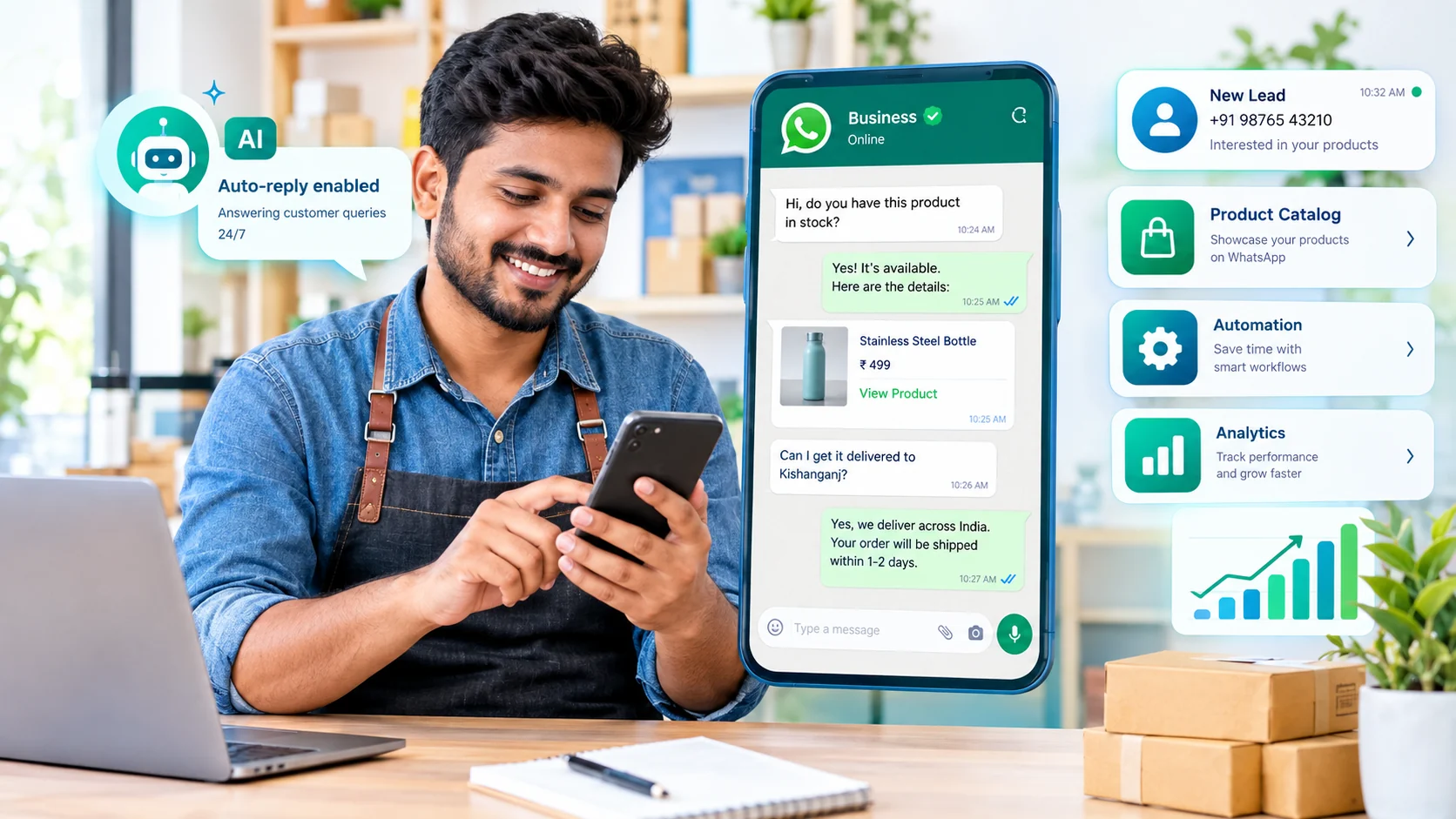
Why WhatsApp AI matters for small businesses
For many small businesses, the hard part of WhatsApp marketing is not sending a message. It is keeping up with customer questions, product requests, appointment enquiries and follow-ups while also running the business.
Meta introduced Business AI on WhatsApp for eligible small businesses worldwide in 2026. Meta says the feature can answer customer questions, recommend products, capture leads, help with appointments and support sales inside the WhatsApp Business app. Meta also says it can be configured from the business's own information, profile and catalogue, with a human able to take over when a conversation needs personal attention. Meta's announcement provides the current eligibility and setup details.
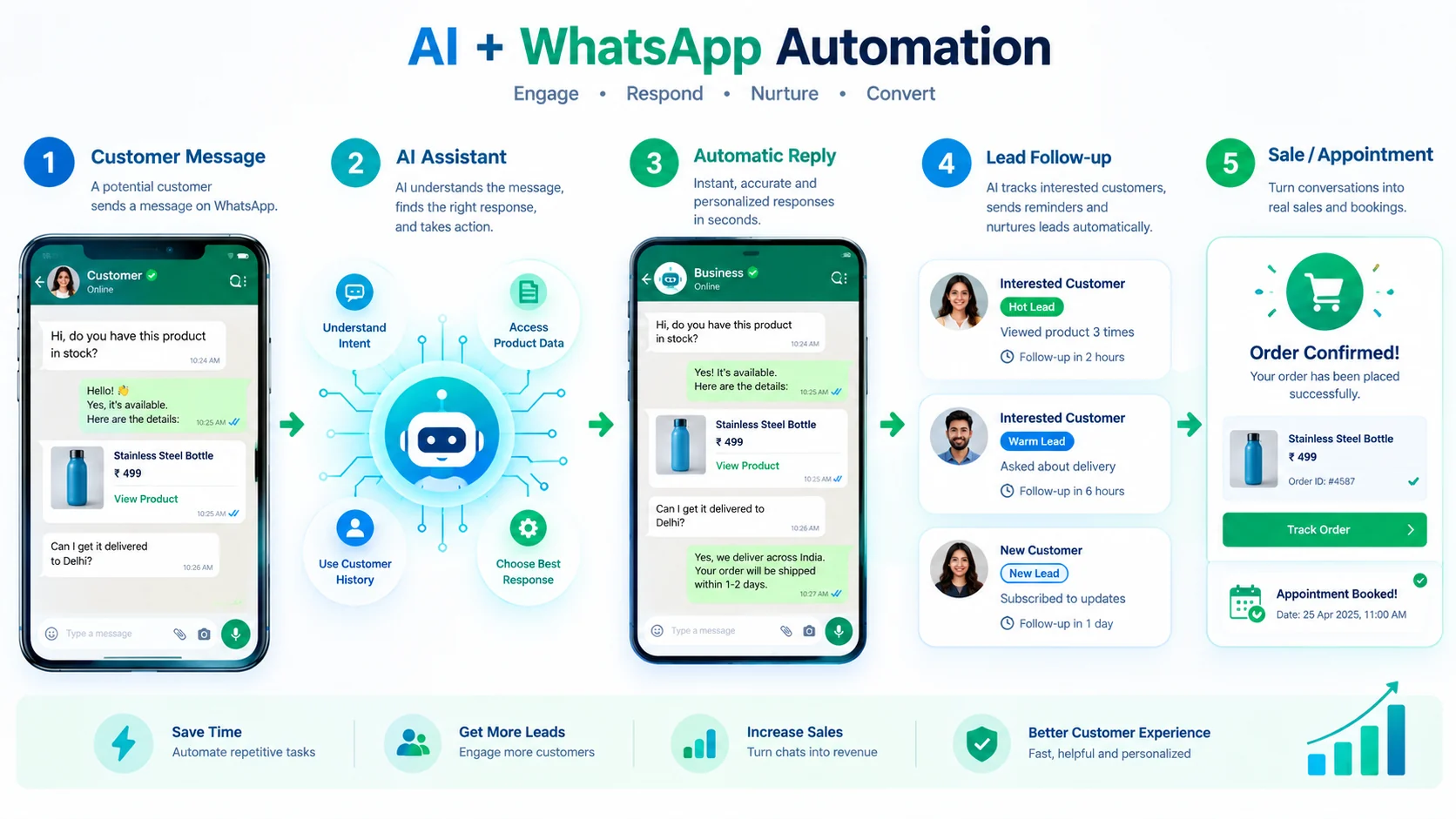
What can AI do on WhatsApp for a small business?
AI is most useful when it handles repetitive work while leaving important decisions and sensitive conversations to a person. Common use cases include:
- FAQ replies: answer recurring questions about products, services, prices, delivery or opening hours.
- Product assistance: use catalogue or business information to help customers find relevant products.
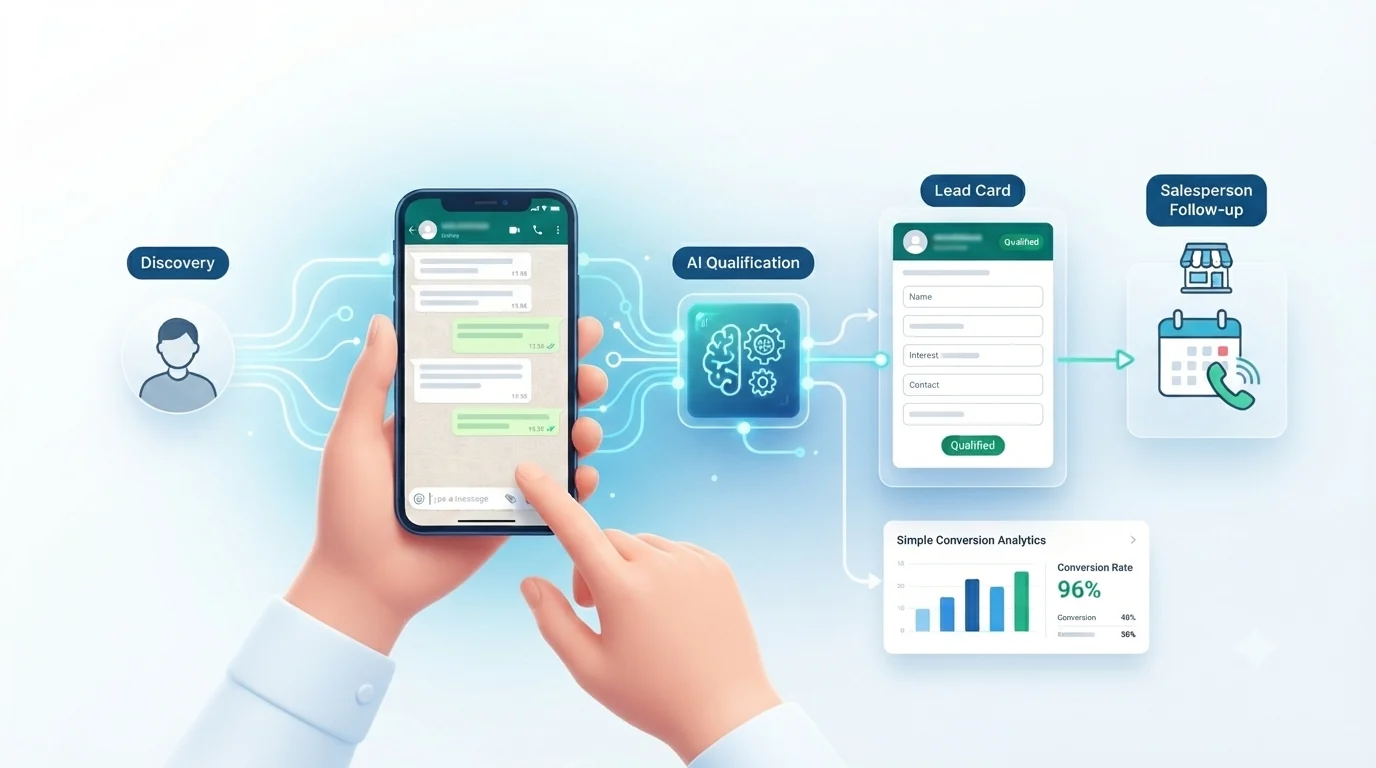
- Lead qualification: identify what the customer needs and capture useful details before a salesperson follows up.
- Appointment support: help collect appointment preferences and pass the conversation to a person or workflow.
- Follow-ups: remind teams about interested leads or trigger permitted business workflows.
- Customer support: handle simple requests and route complex issues to a human.
- Analytics: measure message activity, lead stages and campaign performance when the chosen platform supports it.
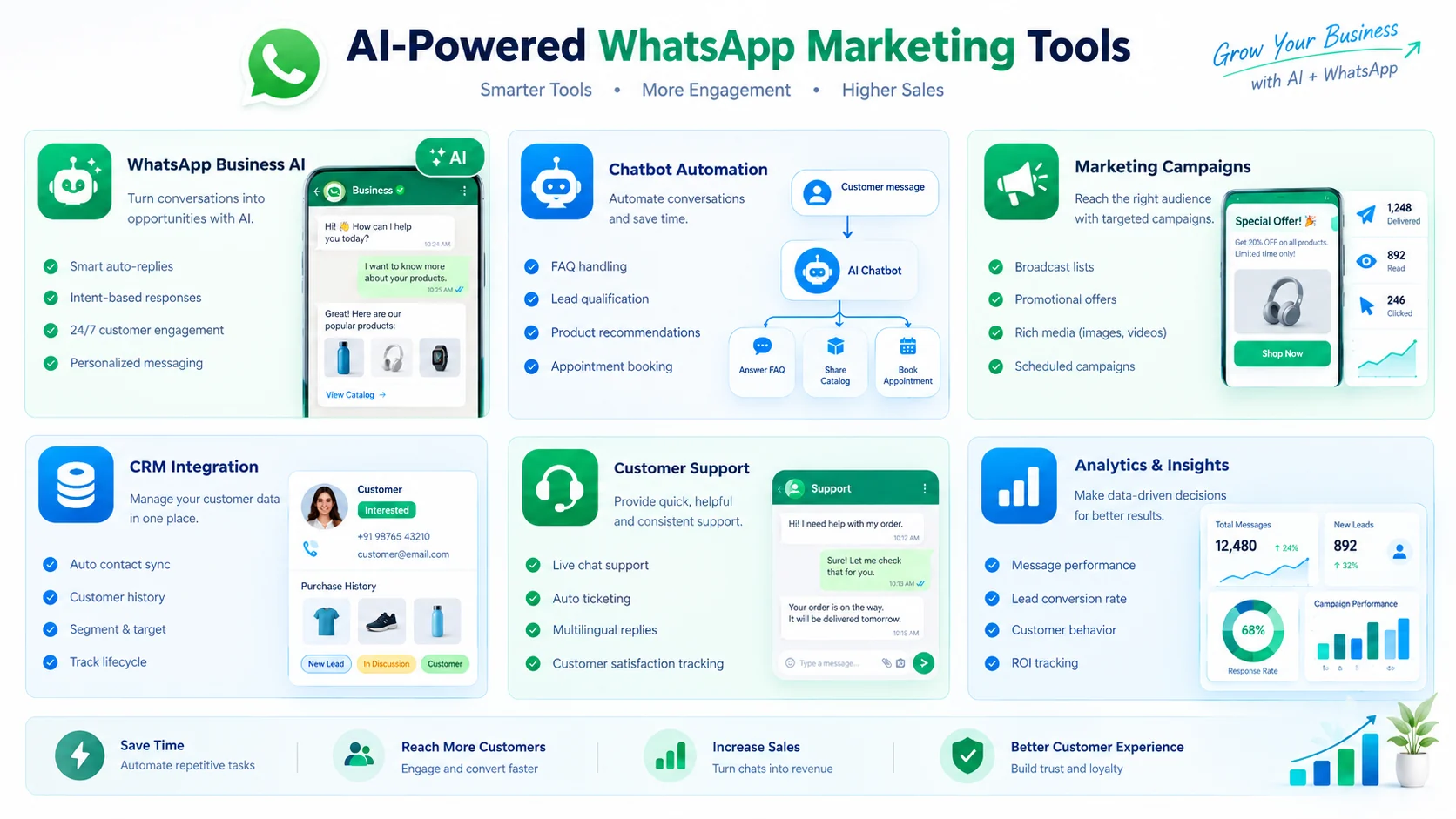
AI tools and WhatsApp platforms to consider
There is no single setup that fits every business. The six options below represent different levels of complexity, from native WhatsApp Business features to API-based platforms.
1. WhatsApp Business + Business AI
Start simpleBest fit: solo owners and small teams that want AI assistance without building a third-party automation stack.
Meta says eligible businesses in India can use Business AI from the WhatsApp Business app. It can answer FAQs, assist with product and service questions, capture leads, support appointments and hand a conversation back to the business owner when needed.
Watch for: eligibility, feature availability and the limits of an app-based workflow. If you need sophisticated routing, multiple agents, CRM syncing or complex automations, you may eventually need the WhatsApp Business Platform.
2. WATI
Automation + teamsBest fit: businesses that need WhatsApp automation, team inboxes, lead qualification, campaigns and integrations.
WATI's current plans include features such as team inboxes, automation, lead qualification, integrations, broadcasts and AI features. Its pricing page also states that WhatsApp message charges are additional and vary by message category and destination.
Cost note: WATI also lists a one-time ₹999 pay-as-you-go option for businesses focused on bulk campaigns, with the amount provided as message credits. Subscription plans and usage charges vary, so check the current rate card before purchasing.
3. AiSensy
India-focusedBest fit: small and mid-sized businesses that want WhatsApp campaigns, automation, chatbots and AI features with India-oriented pricing information.
AiSensy's current pricing page lists a Basic plan at ₹1,500/month, Pro at ₹3,200/month and Premium at ₹9,100/month. The platform separately lists WhatsApp conversation/message credits and says service conversations are free under its currently displayed pricing rules. Because Meta's messaging rules can change, verify the live rate card before budgeting.
4. Interakt
Commerce + CRMBest fit: businesses that want WhatsApp to sit closer to sales, customer management and commerce workflows.
Interakt is a WhatsApp-focused business messaging platform in the Indian market. When evaluating it, compare the current plan limits, team seats, automation, catalogue/commerce features and message charges against your actual message volume rather than choosing only by headline subscription price.
5. Gallabox
AI agentsBest fit: growing teams that want AI agents, lead qualification, follow-ups, team management and integrations.
Gallabox's current India pricing page lists Basic at ₹2,999/month when billed quarterly and ₹2,399/month when billed annually. Higher plans add more users, AI credits, AI agents, integrations and workflow capabilities. WhatsApp usage charges are separate from the platform fee.
6. Gupshup
API / scaleBest fit: businesses and developers that need API-level control, integrations or custom messaging infrastructure.
Gupshup uses a usage-based model for WhatsApp messaging and provides developer-oriented infrastructure. Its support documentation also notes that WhatsApp service-message pricing changes take effect October 1, 2026, including a monthly free tier of 1,000 service messages per business phone number under the announced rules.
How to choose the right WhatsApp AI setup
Instead of asking which platform is “the best,” start with the job you need it to perform. A simple decision framework is more useful:
| Your situation | What to look for | Typical setup direction |
|---|---|---|
| Solo shop or local service | Easy replies, catalogue, business profile, simple AI help | WhatsApp Business + eligible Business AI |
| Many inbound enquiries | Chatbot, lead qualification, automated FAQs | WhatsApp Platform + automation provider |
| Small sales/support team | Shared inbox, routing, tags, agent controls | Team-oriented WhatsApp platform |
| Ecommerce | Catalogue, order updates, abandoned-cart or CRM workflows | Commerce + WhatsApp automation stack |
| Advanced integrations | API, webhooks, CRM and custom workflows | API/BSP platform such as Gupshup or an integration-focused provider |
How much does WhatsApp AI marketing cost?
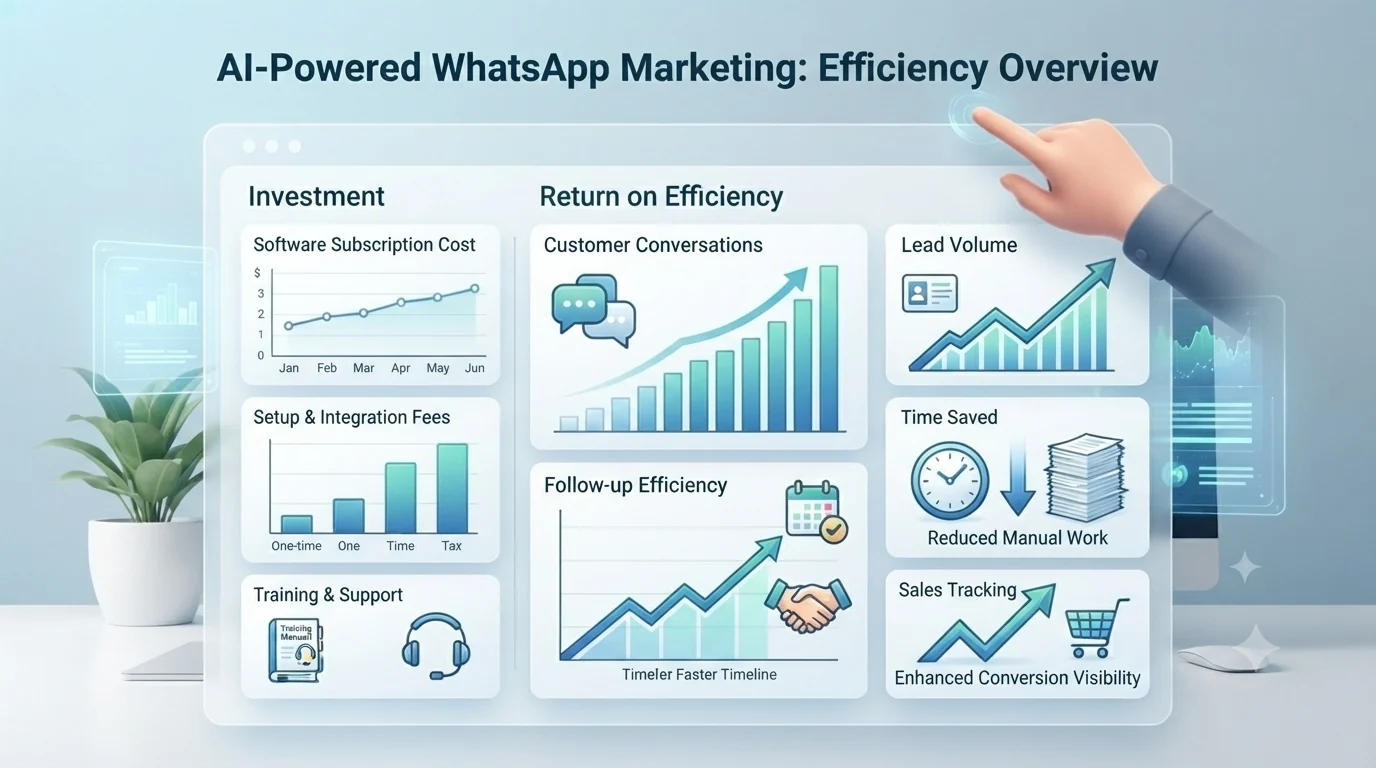
The answer depends on more than a monthly software subscription. Your real cost can include the platform fee, WhatsApp message charges, AI usage or credits, additional users, integrations and optional setup services.
For example, AiSensy currently publishes a Basic plan at ₹1,500/month, while its pricing and message rates vary by recipient market. Some other providers publish region-specific plans as well. Treat these as provider-specific examples rather than universal WhatsApp pricing. WATI also offers a pay-as-you-go campaign option and subscription plans, with message charges separate. These are provider prices, not a universal WhatsApp price, and they can change.
Meta's WhatsApp Business Platform uses message-based pricing, and the category/rate rules can change. A current provider document from Gupshup says that from October 1, 2026, service messages sent by businesses become chargeable under the announced rules, with 1,000 free service messages per business phone number each month. This is why a serious cost comparison should always check the provider's current rate card and Meta's applicable rules before launch.
WhatsApp Business App vs WhatsApp Business Platform/API
The app and the platform solve different levels of business complexity. Meta has also described a setup where small businesses can use the WhatsApp Business App and WhatsApp Business Platform together, allowing the app to continue handling day-to-day interactions while the platform adds automation and scale.
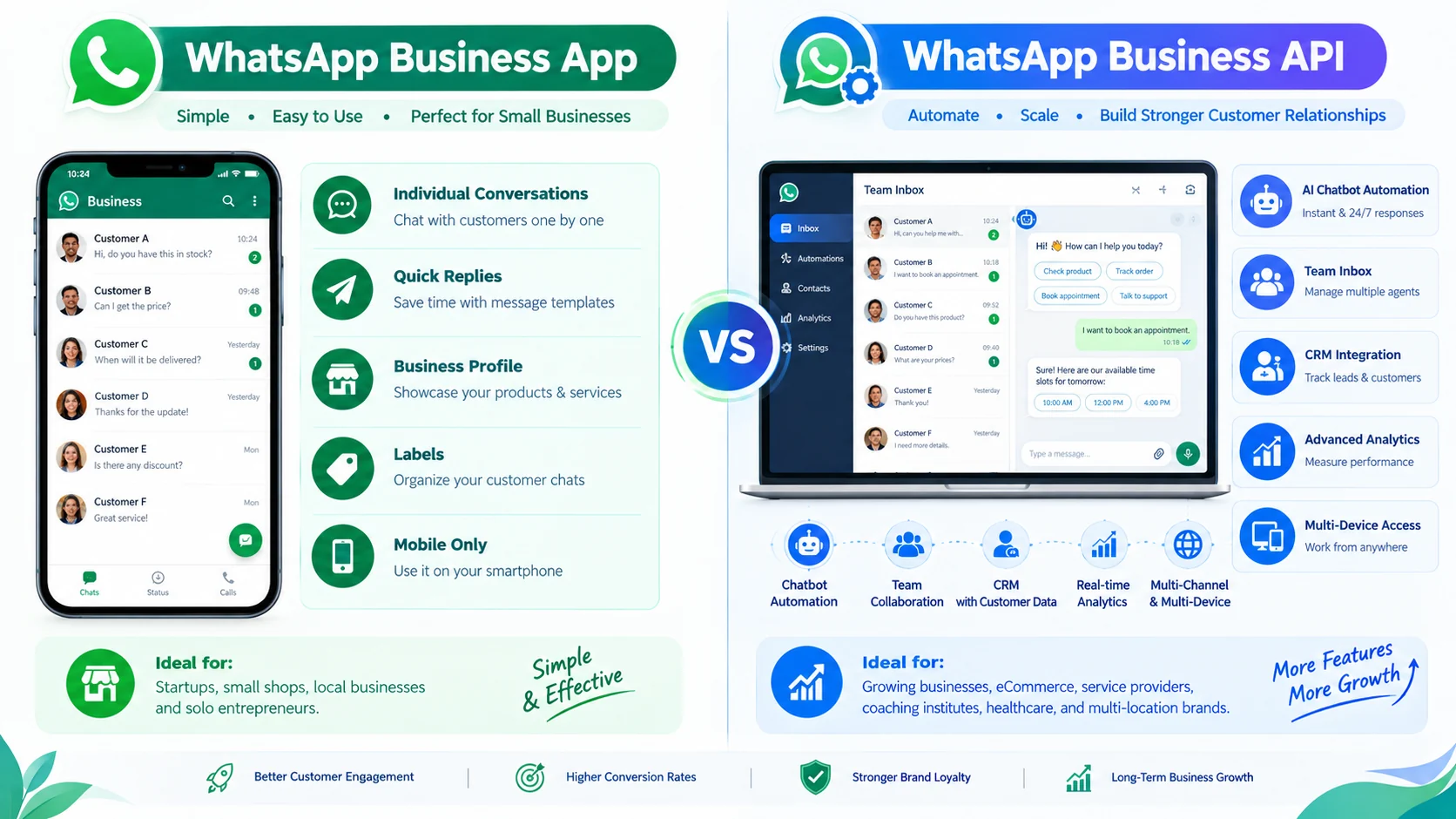
| Capability | WhatsApp Business App | WhatsApp Business Platform/API |
|---|---|---|
| Basic customer conversations | Yes | Yes |
| Simple business profile/catalogue | Yes | Supported through connected tools |
| Advanced automation | Limited / feature dependent | Yes |
| Team inbox and routing | Limited | Common platform feature |
| CRM/API integrations | Limited | Yes |
| Large-scale campaigns | Limited | Designed for scale |
Using AI for customer support
A good support workflow answers simple questions quickly but does not pretend the AI is a human. Give the system accurate business information, define when it should hand off to a person and review conversations regularly.

Using WhatsApp AI for lead generation
Lead generation becomes more useful when the AI does more than collect a name. It can ask a small number of relevant questions, identify the customer's intent and prepare the conversation for the person who will close the sale.
How to start WhatsApp AI marketing step by step
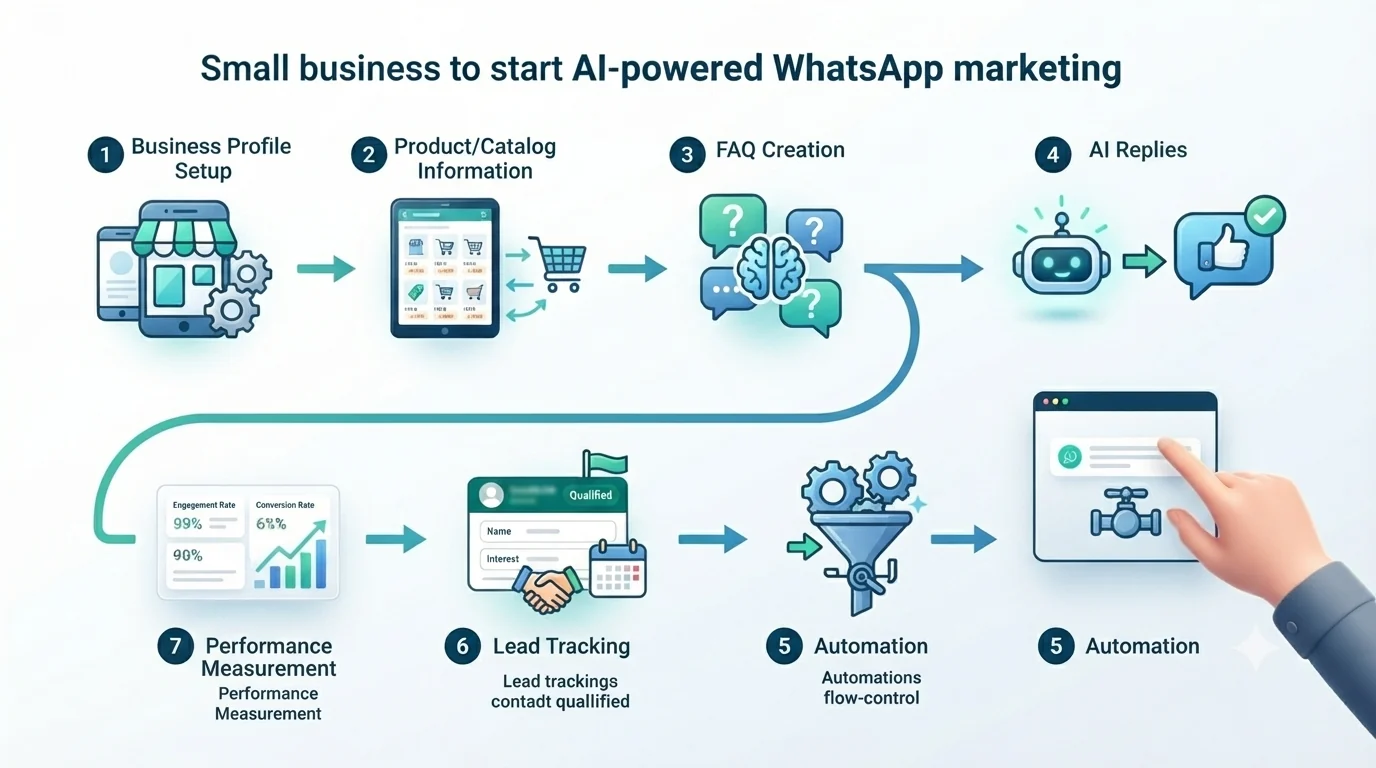
- Complete the business profile. Add accurate business information, hours, contact details and a clear description.
- Organize your catalogue or service information. Keep names, prices, availability and policies accurate.
- Write down your FAQs. Start with the 10–20 questions customers ask most often.
- Choose the simplest suitable AI setup. If the native Business AI is enough, do not add unnecessary software.
- Define human handoff rules. Billing disputes, complaints, unusual requests and sensitive cases should have a clear escalation path.
- Build only useful automations. Examples include lead qualification, appointment requests, order updates and permitted follow-ups.
- Track outcomes. Measure response time, qualified leads, follow-up completion and actual sales—not just message volume.
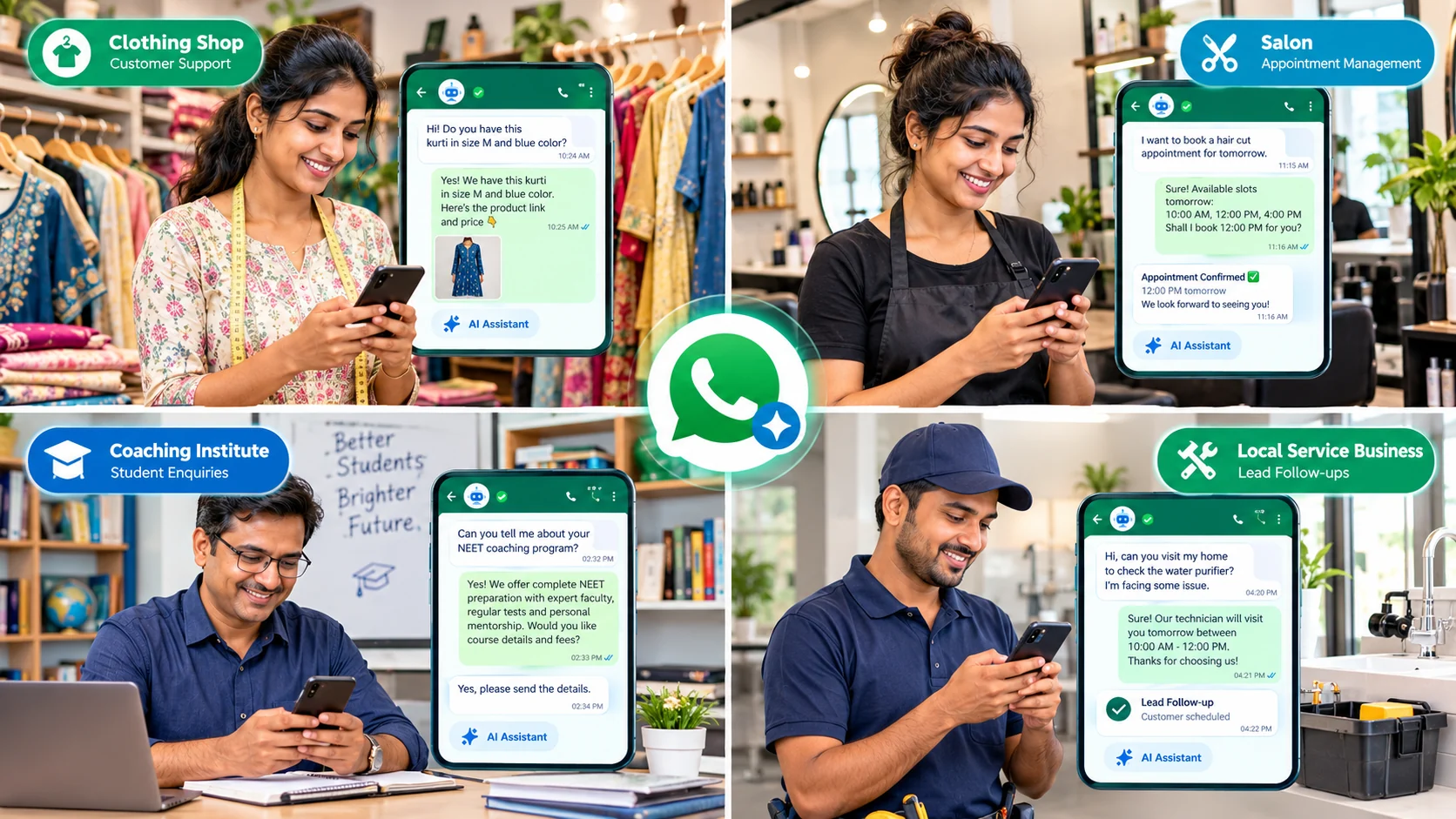
Real WhatsApp AI use cases for small businesses
Clothing store
Customers can ask about size, color, price and availability. The business can use product information to answer basic questions and hand high-intent shoppers to a salesperson.
Salon or beauty service
AI can help handle routine service questions and collect preferred appointment times before a staff member confirms availability.
Coaching institute
A WhatsApp workflow can answer common course questions, collect a student's area of interest and route serious enquiries to a counsellor.
Local service provider
A technician or home-service business can collect the customer's location area, service requirement and preferred visit time before assigning the lead.
What to compare before paying for a WhatsApp AI tool
Two platforms can look similar on a feature list and still produce very different monthly bills. Before signing up, compare the parts that affect your actual workflow.
- Number of users: Check how many agents are included and what an additional user costs.
- Automation limits: Some plans limit automation triggers, bot sessions, contacts, broadcasts or API calls.
- AI usage: Look for AI-credit limits, top-up pricing and whether AI replies, translations or knowledge-base lookups consume credits.
- Message charges: Separate the provider's subscription from Meta's WhatsApp messaging charges.
- Integrations: Confirm whether your CRM, Shopify store, forms, calendar or helpdesk is supported.
- Human handoff: A good system should make it easy for a team member to take over a conversation.
- Analytics: Check whether you can see useful business metrics rather than only delivery counts.
- Data and access controls: If multiple employees use the platform, review roles, permissions and account security.
A simple way to estimate whether automation is worth paying for
Do not begin with a promise that AI will increase sales by a particular percentage. Instead, calculate the operational problem you are trying to solve.
Suppose a business receives 30 customer enquiries each day and spends an average of four minutes answering repetitive questions. That is about two hours of repetitive work per day. If an AI workflow can safely handle part of those questions and a human checks the important conversations, the business can compare the time saved with the monthly software and messaging cost.
The next step is to measure the commercial side: how many enquiries become qualified leads, how many qualified leads receive a timely follow-up and how many ultimately become customers. This gives you a practical baseline before and after automation.
What should still be handled by a human?
AI is useful for predictable conversations, but a business should define clear boundaries. Human review is especially important for complaints, refunds, disputes, unusual pricing requests, sensitive personal information, complex technical problems and situations where an incorrect answer could cause a meaningful loss.
For many small businesses, the most practical model is not “AI replaces the salesperson.” It is “AI handles the repetitive first layer, while the owner or team handles the decisions.” That keeps the workflow efficient without removing accountability.
WhatsApp AI launch checklist for a small business
- Business profile and contact information are accurate.
- Product/service catalogue is current.
- Prices and availability are reviewed regularly.
- Top customer FAQs have been documented.
- AI responses have a defined tone and scope.
- Human handoff rules are written down.
- Marketing messages follow applicable consent and platform requirements.
- Monthly platform and message costs are understood.
- Lead and sales tracking is configured.
- The workflow is tested with real-world questions before wider rollout.
WhatsApp marketing mistakes small businesses should avoid
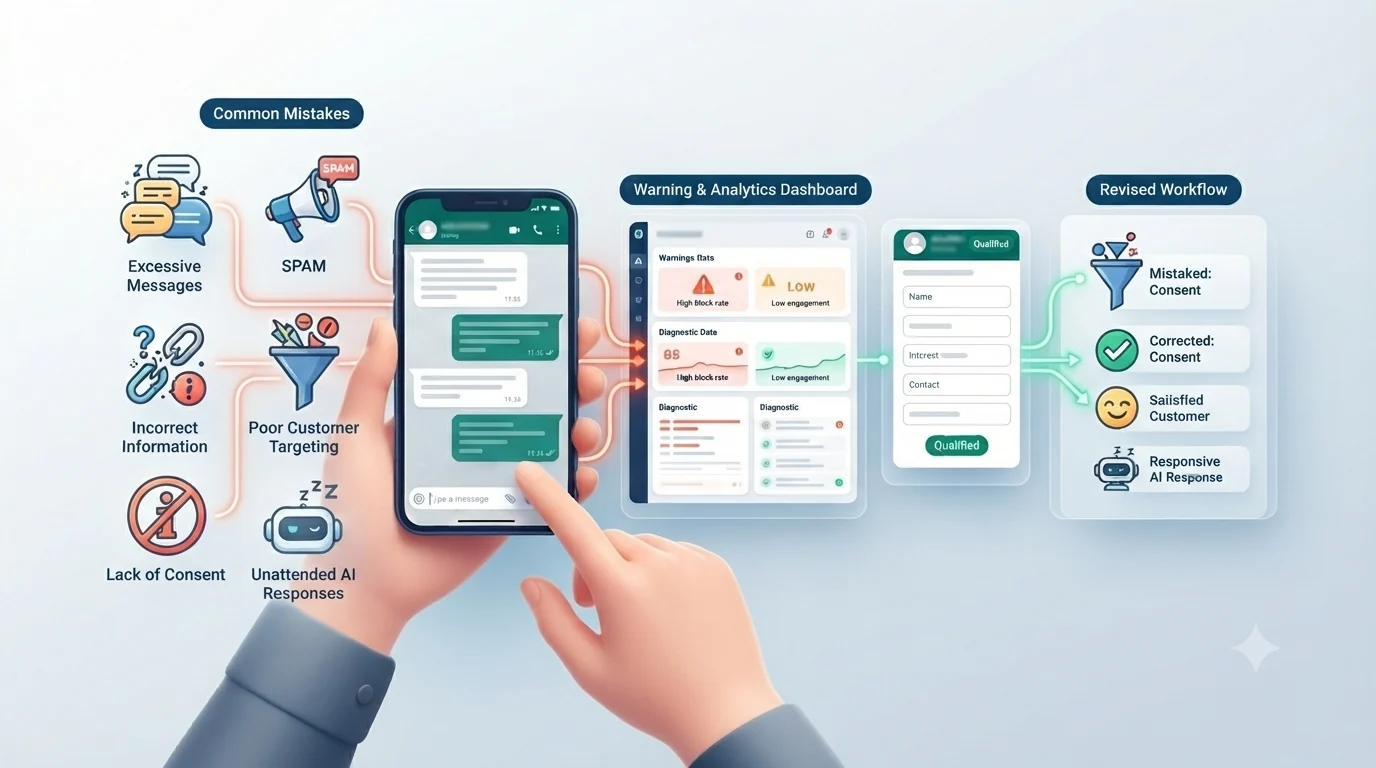
- Sending unwanted bulk messages. Marketing should respect consent, applicable policies and customer expectations.
- Letting AI invent information. Keep product, price, availability and policy data current.
- Automating every conversation. Give customers an obvious path to a human when the issue is complex.
- Ignoring message costs. A campaign can look cheap at subscription level and become expensive at scale when usage charges are included.
- Using unofficial tools. Evaluate whether a provider is working through the official WhatsApp Business Platform and whether its practices fit your compliance requirements.
- Measuring vanity metrics. A high message count does not automatically mean more revenue. Track qualified leads, completed follow-ups and sales.
Frequently asked questions
Can small businesses use AI on WhatsApp?
Yes. Eligible businesses can use Meta's Business AI in the WhatsApp Business app, while businesses needing more advanced automation can use the WhatsApp Business Platform through a provider.
Is WhatsApp Business AI available everywhere?
Availability depends on market, account eligibility and the current WhatsApp Business rollout. Meta announced Business AI for eligible small businesses worldwide in 2026, including support for native Indian languages. Check the current WhatsApp Business interface and Meta's official guidance for your market.
Do I need WhatsApp API for AI automation?
Not necessarily. Native Business AI can work inside the WhatsApp Business app for eligible businesses. API/Platform access becomes more relevant when you need team routing, CRM integrations, advanced automation or larger-scale messaging.
How much does WhatsApp AI marketing cost?
There is no single universal price. Platform subscriptions, WhatsApp message charges, AI credits, users and integrations can all contribute to the total. Always check the current provider and Meta pricing before choosing a plan.
Can WhatsApp AI work in Hindi?
Language support varies by provider, feature and market. Meta's India launch documentation describes support for native Indian languages, while third-party tools can differ. Test the exact languages and tone your customers use before launch.
Is WhatsApp AI suitable for a small local shop?
It can be, especially when the shop receives repeated customer questions. Start with simple tasks such as FAQs, product information and lead capture, then add more automation only when the volume justifies it.
Sources and official references
- Meta — Business AI on WhatsApp for Small Businesses in India
- WATI — Pricing
- AiSensy — WhatsApp API Pricing
- Gallabox — Pricing
- Gupshup — WhatsApp Service Messages Pricing from October 1, 2026
- Meta — WhatsApp Business App and Business Platform for Small Businesses
Pricing, feature availability and WhatsApp policy rules can change. This article was reviewed on September 27, 2026; verify live provider and Meta pricing before making a purchase or budgeting a campaign.